





When you choose a development board, you should focus on several key factors: your project's needs, available hardware features, software support, the strength of the community, and your budget. Matching the right development board to your skill level and project complexity sets you up for success. Over 70% of electronics designers and engineers rely on Arduino or similar boards for fast prototyping because they simplify both setup and troubleshooting. Look for strong documentation and active community support to make your experience smoother.
Key Takeaways
- Choose a development board that matches your project needs to ensure smooth prototyping and avoid unnecessary challenges.
- Look for strong community support and comprehensive documentation to help troubleshoot issues and enhance your learning experience.
- Evaluate hardware features like GPIO pins and communication protocols to ensure the board can handle your project's requirements.
- Consider your budget and future growth potential when selecting a board to avoid overspending and ensure scalability.
- Test shortlisted development boards with simple prototypes to identify the best fit for your project before making a final decision.
What is a Development Board?
Core Purpose
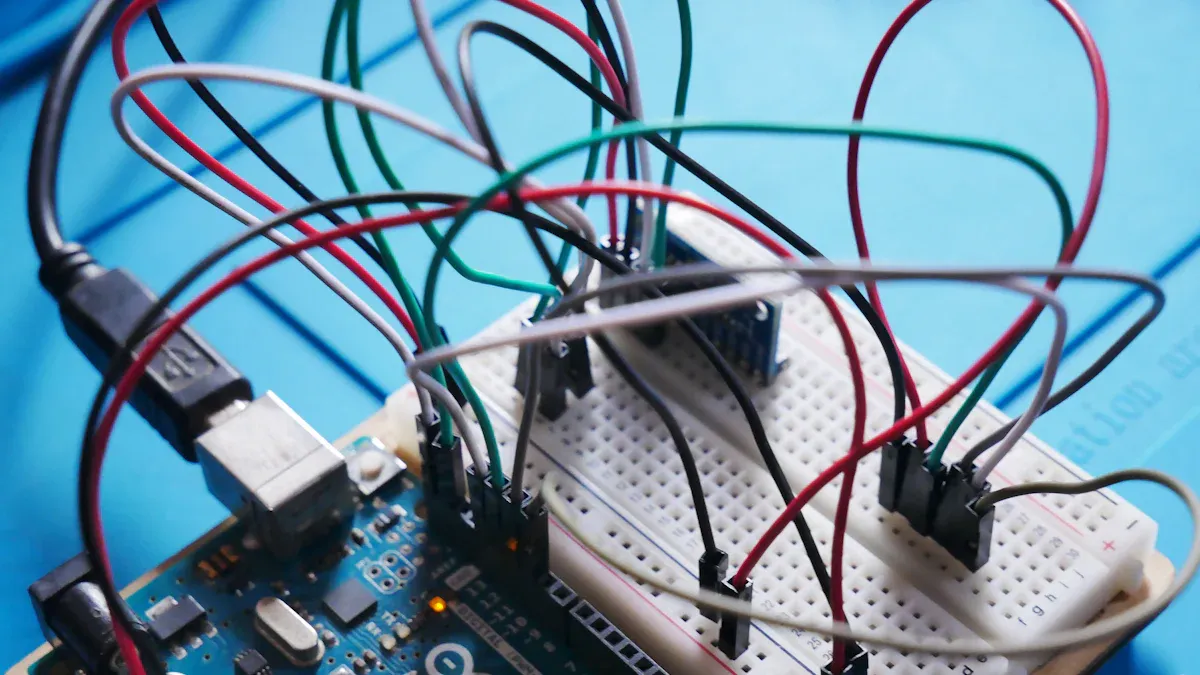
A development board gives you a practical platform for building and testing electronic projects. You use it to connect sensors, actuators, and other components to a microcontroller. The board includes a microcontroller unit, power supply, and input/output interfaces. You can program the microcontroller to control devices, collect data, or communicate with other systems.
Tip: When you choose a development board, you focus on functionality instead of designing custom hardware from scratch. This approach saves you time and reduces errors.
You often see development boards in classrooms, labs, and professional workshops. They help you learn programming and electronics by providing hands-on experience. Unlike evaluation boards, which test individual components, an electronic development board lets you build complete systems. You can use a microcontroller-based development board for robotics, automation, or IoT applications.
Here is a table that highlights the main functions that set development boards apart from other hardware:
|
Function/Benefit |
Description |
|---|---|
|
Prototyping Efficiency |
You focus on your project's features, not hardware details, which speeds up prototyping. |
|
Cost-Effectiveness |
You save money by avoiding custom hardware design and testing in early stages. |
|
Risk Mitigation |
You identify and fix design mistakes before moving to production. |
|
Versatility and Scalability |
You use different programming languages and adapt the board to many applications. |
|
Learning and Experimentation |
You gain practical skills in electronics and programming, which encourages innovation. |
Project Benefits
When you use an electronic development board, you unlock several advantages for your project. You get a reliable platform for rapid prototyping. You can test ideas quickly and make changes without rebuilding hardware. The microcontroller on the board supports multiple programming languages, so you choose the best tool for your needs.
You also benefit from strong community support. Many boards have active forums and detailed documentation. You find solutions to problems and share ideas with other developers. This support helps you troubleshoot issues and improve your designs.
- You engage with interactive learning and solve real-world problems.
- You gain hands-on experience with hardware programming and system design.
- You access lab guides and software tools that enhance your skills.
A microcontroller-based development board makes your project more efficient and scalable. You reduce costs, minimize risks, and accelerate development. You prepare for future careers by mastering essential skills in electronics and programming.
Choosing a Development Board
Selecting the right development board shapes the success of your electronics project. You need to evaluate several factors before making a decision. Each project has unique requirements, and matching those needs with the right board saves you time and resources.
Project Needs
Start by defining your project goals. You should ask yourself what you want to build and which tasks the microcontroller must handle. For example, a simple sensor project may only require basic input and output. A robotics project demands advanced communication protocols and multiple I/O ports.
Consider these questions:
- What is the main function of your project?
- How many sensors or actuators will you connect?
- Do you need wireless connectivity, such as Bluetooth or WiFi?
- Will your project require real-time data processing?
Matching the complexity of your project to the capabilities of the development board ensures smooth prototyping. If you already have experience with a specific platform, you will find it easier to troubleshoot and expand your design.
Tip: Familiarity with a development board speeds up prototyping and reduces learning curves.
Hardware Features
Hardware features define the possibilities of your project. You should compare the number of GPIO pins, available I/O ports, and supported communication protocols. Boards differ in their ability to connect devices and handle data.
Here is a comparison of popular development boards:
|
Development Board |
GPIO Pins |
I/O Ports |
Communication Protocols |
|---|---|---|---|
|
Unspecified Board |
92 |
N/A |
I2C, UART |
|
ESP32-SE2-Saola-1 |
46 |
N/A |
UART, SPI, I2C |
|
BeagleBone® Green Gateway |
92 |
N/A |
I2C, UART |
|
OSD32MP1-BRK |
106 |
N/A |
UART |
|
Arduino Nano 33 BLE Sense |
N/A |
N/A |
N/A |
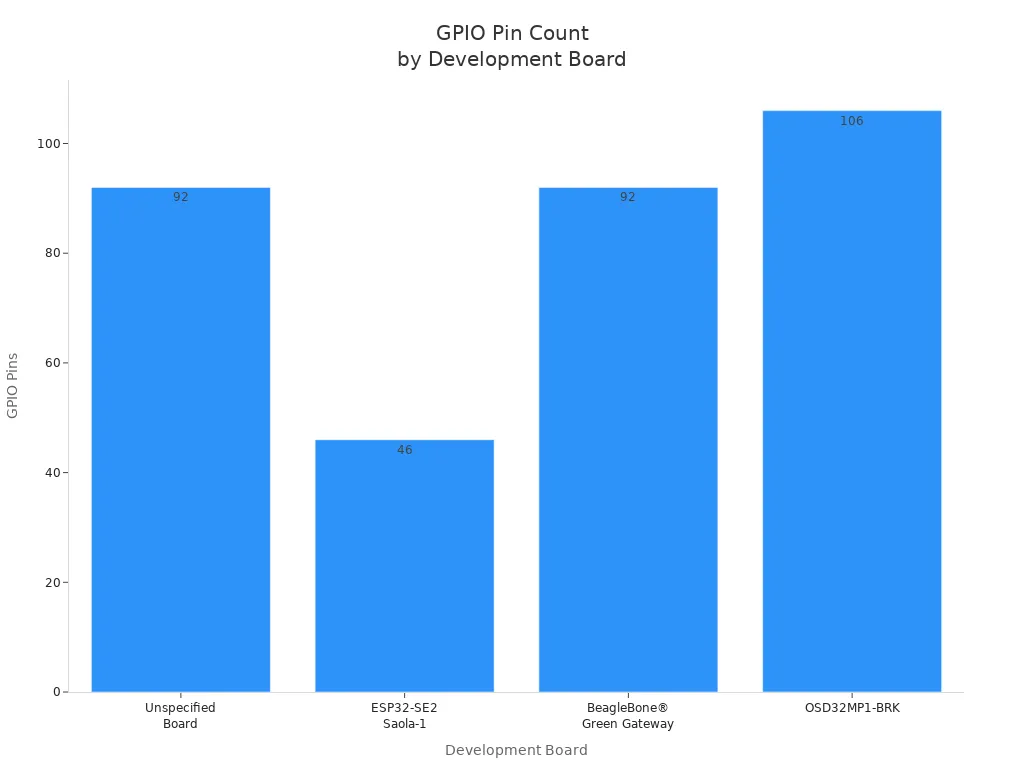
Boards with more GPIO pins and communication protocols offer greater flexibility. If your project needs multiple sensors or complex data exchange, choose a board with higher pin counts and protocol support. You should also check for built-in wireless modules if you plan to use Bluetooth or WiFi.
Software Support
Software support determines how easily you can program and control your microcontroller. You should look for boards that support popular programming languages and offer robust development environments.
|
Supported Programming Languages |
|
|---|---|
|
Arduino Uno |
Arduino (C/C++) |
|
Raspberry Pi Pico |
MicroPython, C/C++ |
|
BeagleBone Black |
Python, C/C++ |
|
Particle Photon |
Particle Web IDE (C/C++) |
Boards that support multiple languages allow you to choose the best tool for your skill level. If you prefer Python, select a board like BeagleBone Black. For C/C++, Arduino Uno offers a simple and reliable platform. Strong software support means you spend less time debugging and more time building.
Community and Documentation
Active community support and comprehensive documentation make your development process smoother. You should choose a development board with a large user base and plenty of tutorials. Forums and guides help you solve problems quickly and learn new techniques.
- Large communities provide troubleshooting tips and project ideas.
- Detailed documentation explains hardware features and programming steps.
- Frequent updates and open-source resources keep your project current.
You gain confidence when you know help is available. Boards like Arduino and Raspberry Pi have extensive communities, making them ideal for beginners and advanced users.
Budget and Availability
Budget and availability influence your final choice. You should compare prices and check if the board is easy to purchase in your region. Some boards offer advanced features at a higher cost, while others provide essential functions at a lower price.
- Set a clear budget before shopping for a development board.
- Consider future expansion and compatibility with accessories.
- Check for local distributors or reliable online sources.
Choosing a board that fits your budget and is readily available ensures you can start your project without delays. You avoid overspending and get the best value for your investment.
Note: Planning for growth helps you scale your project and adapt to new requirements.
Step-by-Step Selection Guide
Selecting the right development kit for your electronics project requires a systematic approach. You can avoid costly mistakes and accelerate your progress by following these steps. This guide uses examples from popular development kits such as Arduino, raspberry, and ESP32 to illustrate each stage.
Define Goals
Start by clarifying your project objectives. You need to specify every component you plan to use, including sensors, actuators, and communication modules. For example, if you want to build a smart weather station, list the temperature sensor, humidity sensor, display, and wireless connectivity module. Draw a block diagram to visualize how each part connects to the development board. Note the number of GPIO pins, analog inputs, and serial interfaces required.
Tip: Always determine the operating voltage and current for your entire system. If you use raspberry or ESP32, check their logic levels to ensure compatibility with your components.
Match Features
Once you define your goals, compare the hardware and software features of available development kits. You should look for boards that offer enough GPIO pins, support the necessary communication protocols, and fit within your size constraints. For battery-powered projects, calculate the power drain to estimate battery life.
Choosing the right development board means understanding the difference between evaluation boards and full-featured development kits. Evaluation boards work well for quick testing, but development kits like raspberry and ESP32 provide more customization and scalability for complete product builds. If your project requires wireless connectivity, select a kit with built-in WiFi or Bluetooth. For example, ESP32 offers integrated wireless features, making it ideal for IoT applications.
Evaluation boards: Use for early-phase testing and proof-of-concept.
Development kits: Choose for advanced functions, customization, and long-term projects.
Evaluate Support
Quality documentation and community support can make or break your experience with a development kit. You should assess the readability, structure, and completeness of the documentation. Look for guides with clear tables of contents, well-organized headings, and practical examples. Check forums and online communities for troubleshooting tips and project ideas.
|
Criteria |
Description |
|---|---|
|
Readability level |
Use metrics like Flesch Reading Ease to judge clarity. |
|
Quality of writing |
Look for correct grammar and spelling to ensure professionalism. |
|
Structure of the document |
Prefer guides with organized information and visual aids. |
|
Absolute information |
Ensure coverage of all relevant areas, including examples. |
|
Flow of sentences |
Choose documentation with smooth transitions and concise explanations. |
Boards like raspberry and Arduino have strong communities and extensive documentation. You can find tutorials, sample code, and troubleshooting advice for almost any scenario.
Shortlist and Compare
After evaluating support, create a shortlist of popular development kits that meet your requirements. Compare their features, prices, and availability. Use tables to organize your findings and highlight differences.
|
Development Kit |
GPIO Pins |
Wireless Connectivity |
Supported Languages |
Community Size |
|---|---|---|---|---|
|
Arduino Uno |
14 |
No |
C/C++ |
Large |
|
raspberry Pi 4 |
40 |
Yes (WiFi/Bluetooth) |
Python, C/C++ |
Very Large |
|
ESP32 |
34 |
Yes (WiFi/Bluetooth) |
MicroPython, C/C++ |
Large |
Consider usage scenarios. If you want to build a home automation system, raspberry Pi 4 offers powerful processing and wireless options. For wearable devices, ESP32 provides low power consumption and compact size. Arduino Uno suits simple sensor projects and educational purposes.
Test and Decide
Before making a final decision, test your shortlisted development kits. Set up a basic prototype using each board. Program simple tasks, such as blinking an LED or reading sensor data. Evaluate how easy it is to set up, program, and troubleshoot each kit.
Note: Testing helps you identify hidden challenges and ensures the development board matches your workflow. You gain confidence in your choice and reduce the risk of unexpected issues.
You should select the development kit that best aligns with your goals, offers robust support, and fits your budget. By following this step-by-step guide, you maximize your chances of success and unlock the full potential of popular development kits like raspberry, Arduino, and ESP32.
Popular Electronic Development Boards
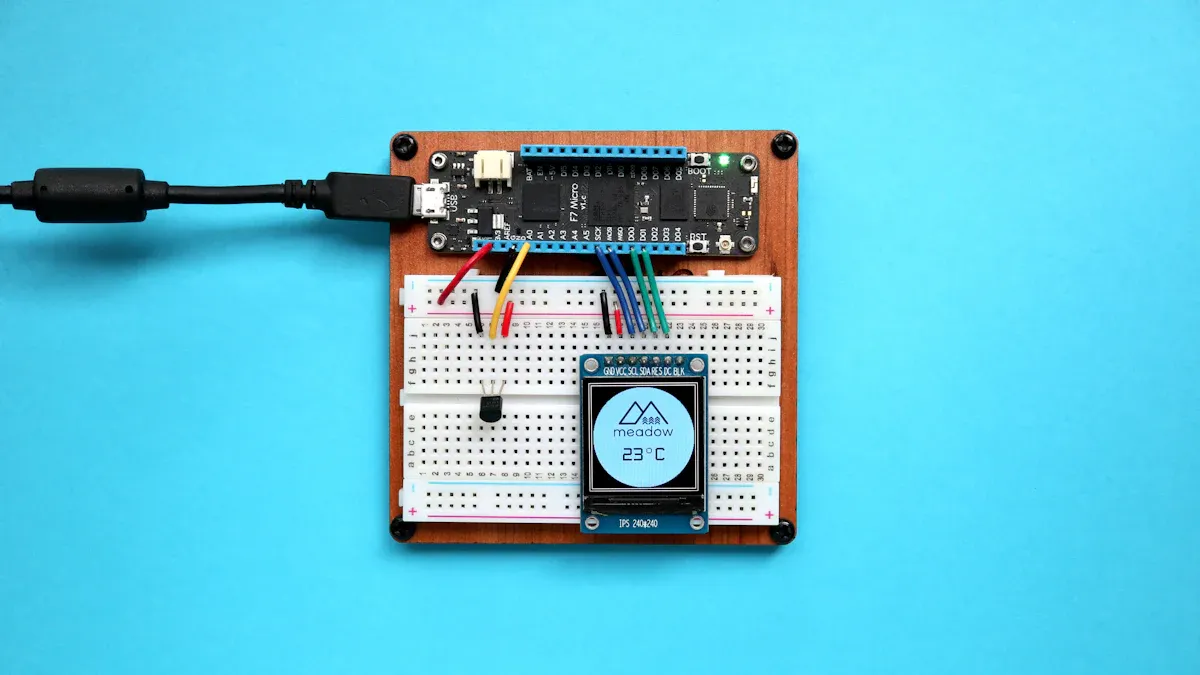
Choosing the right development boards can transform your project workflow. You gain access to reliable hardware, strong community support, and robust documentation. Let's explore three of the most popular options: arduino, raspberry, and esp32.
Arduino
You find arduino boards in classrooms, workshops, and professional labs. The arduino nano 33 stands out for sensory input projects, offering built-in BLE capabilities and a compact design. You benefit from a wide range of models, including arduino Due for robotics and arduino Mega for large-scale automation. The arduino nano 33 suits STEM education and IoT learning kits, while the arduino MKR series excels in energy-efficient IoT applications.
|
Arduino Board |
Strengths |
Weaknesses |
|---|---|---|
|
arduino nano 33 |
Small, BLE, sensory input |
Less powerful, fewer pins |
|
arduino Due |
High performance, many I/O pins |
Higher cost, more power consumption |
|
arduino Mega |
Many I/O pins, large projects |
Large size, overkill for simple tasks |
|
arduino MKR Series |
Compact, energy-efficient, IoT ready |
Limited to IoT, less versatile |
You access extensive documentation and a global community. You solve problems quickly and share ideas with other developers. The arduino nano 33 and arduino MKR series provide affordable solutions for beginners and advanced users.
Raspberry Pi
You use raspberry boards for projects that demand higher processing power. The raspberry pi pico and raspberry pi pico W 2 offer dual-core RP2040 processors, built-in WiFi, and BLE for wireless IoT applications. The raspberry pi 4 and raspberry pi 5 deliver quad-core ARM Cortex performance, supporting desktop computing, AI, and media centers.
|
Model |
Processor |
RAM Options |
Key Features |
|---|---|---|---|
|
raspberry pi pico |
Dual-core RP2040 @ 133 MHz |
264 KB |
Low power, MicroPython, CircuitPython support |
|
raspberry pi pico W 2 |
Dual-core RP2040, WiFi/BLE |
264 KB |
Wireless IoT, battery-powered sensors |
|
raspberry pi 4 |
Quad-core ARM Cortex-A72 |
1GB-8GB |
Desktop, AI, media centers |
|
raspberry pi 5 |
Quad-core ARM Cortex-A76 |
4GB-8GB |
Enhanced AI, machine learning |
You benefit from a massive community and detailed guides. You choose raspberry pi pico for battery-powered IoT sensors and raspberry pi 4 for demanding automation or AI projects.
ESP32
You select esp32 for affordable, full-stack IoT solutions. The esp32 integrates WiFi and Bluetooth, making it ideal for smart devices and home automation. You transition easily from arduino code to esp32, thanks to compatibility. The esp32-S3 model offers dual-core processing for advanced IoT tasks.
- Low-cost microcontroller
- Integrated WiFi and Bluetooth
- Compatible with arduino code
- Sufficient processing power for IoT applications
You find esp32 boards in wireless sensor networks, smart home systems, and wearable devices. You benefit from strong community support and practical documentation. The esp32 bridges the gap between arduino and raspberry, providing flexibility for both beginners and professionals.
Tip: You should match your project needs to the strengths of each board. Choose arduino nano 33 for sensory input, raspberry pi pico for low-power IoT, and esp32 for wireless automation.
|
Key Features |
Ideal Applications |
|
|---|---|---|
|
arduino nano 33 |
BLE, compact, sensory input |
STEM, IoT learning kits |
|
raspberry pi pico W 2 |
Dual-core, WiFi/BLE, low power |
IoT sensors, smart devices |
|
esp32-S3 |
Dual-core, WiFi/BLE, Arduino compatibility |
Full-stack IoT, home automation |
|
stm32 Nucleo F401RE |
Cortex-M4, Arduino shield compatibility, debugger onboard |
Real-time programming, industrial signal processing |
You maximize your project's potential by selecting development boards that align with your goals and experience. You leverage community resources and technical documentation to accelerate your progress.
How the Right Development Kit Helps
Faster Prototyping
You accelerate your project timeline when you select the right development board. Off-the-shelf solutions like Arduino and Raspberry Pi let you validate ideas quickly, without heavy investment. You can build proof-of-concept prototypes that demonstrate core functionality in the early stages. Professional engineers use rapid iteration and systematic validation to avoid costly mistakes before mass production.
- You test concepts with minimal setup.
- You refine designs using PCB prototyping services, which improve reliability and reduce risks.
- You introduce innovations to the market faster by shortening the development cycle.
For example, you might build a smart irrigation system using a microcontroller and sensors. You connect components, upload code, and see results within hours. This speed gives you a competitive edge and boosts your confidence.
Easier Debugging
Debugging becomes straightforward when you use a development board. You test code in isolation, which reduces complexity. You connect multiple boards for integrated testing and use accessible debugging tools. These boards often support in-circuit debugging, allowing real-time monitoring and control.
|
Benefit/Technique |
Description |
|---|---|
|
Testing Code in Isolation |
You run code independently, making it easier to spot errors. |
|
Integrated Testing |
You connect several boards for comprehensive system checks. |
|
Accessible Debugging Tools |
You use built-in tools that simplify troubleshooting compared to custom hardware. |
|
In-Circuit Debugging |
You monitor and control your microcontroller in real time. |
|
Simulation and Emulation |
You test without physical hardware, saving time and money. |
For instance, you might develop a wearable health monitor. You debug sensor readings and wireless communication using the board's built-in tools. You solve problems faster and improve product quality.
Integration
You integrate sensors, actuators, and modules with ease when you choose the right development board. Many boards feature Grove connectors and expansion shields, which simplify connections. The Grove ecosystem offers over 300 modules, so you can plug in sensors and actuators without soldering.
|
Feature |
Description |
|---|---|
|
Grove Connectors |
You use 16 connectors for easy integration with various modules. |
|
Module Variety |
You select from hundreds of modules to match your project needs. |
|
Expansion |
You expand to 8 connectors for a wide range of sensor and actuator options. |
Imagine building a home automation system. You connect temperature sensors, relays, and displays to your microcontroller using plug-and-play modules. You save time and reduce errors, making your project scalable and reliable.
Community Support
You benefit from strong community support when you use a popular development board. Large user bases provide troubleshooting tips, project ideas, and sample code. You access detailed documentation and frequent updates, which keep your project current.
Tip: You can join forums and online groups to share experiences and get advice from experts.
You gain confidence knowing help is available. You solve challenges faster and learn new techniques, which enhances your skills and project outcomes.
Mistakes to Avoid
Ignoring Project Needs
You risk major setbacks when you overlook your project's specific requirements during development board selection. Choosing a board that does not match your goals can create unnecessary challenges.
- If you select a board with more features than you need, you increase costs and add complexity to your project.
- If you pick a board with too few features, you may face performance issues or lack essential functions.
- Both scenarios can delay your timeline and complicate development.
You should always define your project's core needs before making a decision. This approach helps you avoid wasted resources and ensures your development board supports your objectives.
Overlooking Support
You may encounter roadblocks if you ignore the importance of community and documentation. Boards with limited support often leave you searching for answers on your own. Strong documentation and active forums provide solutions, troubleshooting tips, and new ideas. When you choose a board with a large user base, you gain access to shared knowledge and proven best practices. This support network can save you time and help you overcome technical challenges.
Tip: Always check for active forums, detailed guides, and regular software updates before committing to a board.
Underestimating Budget
You can derail your project by failing to set a realistic budget. Some development boards offer advanced features at a premium price, while others provide essential functions at a lower cost. If you overspend on hardware, you may have less money for sensors, modules, or future upgrades. If you choose the cheapest option, you might sacrifice quality or compatibility. Balancing cost and capability ensures you get the best value without compromising your project's success.
Not Planning for Growth
You limit your project's potential if you do not plan for future expansion. Many projects start small but grow in complexity over time. Selecting a board with limited scalability can force you to redesign your system later. You should consider boards that support additional modules, higher processing power, or more I/O options. Planning for growth protects your investment and allows your project to evolve with your needs.
Selecting the right board for your electronics project gives you a clear path to success. You should:
- Evaluate hardware features, including expansion connectors and peripherals.
- Assess software support with a robust SDK and IDE.
- Check documentation quality for troubleshooting.
- Consider community support for valuable assistance.
- Review power supply options for compatibility.
- Plan for future flexibility to adapt as your project grows.
Matching your choice to your goals and experience helps you avoid setbacks. Explore popular boards, compare their strengths, and test a kit before committing. You gain confidence and unlock new possibilities by following these steps.
FAQ
Why should you choose a development board instead of building custom hardware?
You save time and reduce errors with a development board. You avoid complex circuit design and focus on your project's features. Most boards offer reliable hardware, strong documentation, and active community support.
Why does community support matter when selecting a development board?
You solve problems faster with a strong community. You access tutorials, sample code, and troubleshooting tips. Community support helps you overcome challenges and keeps your project on track.
Why do development boards help you prototype faster?
You use pre-assembled hardware and ready-to-use libraries. You connect sensors and modules quickly. This approach lets you test ideas and make changes without waiting for custom parts.
Why is documentation important for development boards?
You learn how to use features and avoid mistakes with clear documentation. Good guides help you set up, program, and expand your project. Documentation saves you time and boosts your confidence.
Why should you consider your project's future growth when picking a board?
You avoid redesigning your system later. Boards with expansion options let you add new features as your project evolves. Planning for growth protects your investment and supports long-term success.
Note: For authoritative data and further reading, see references at the end of this article.