





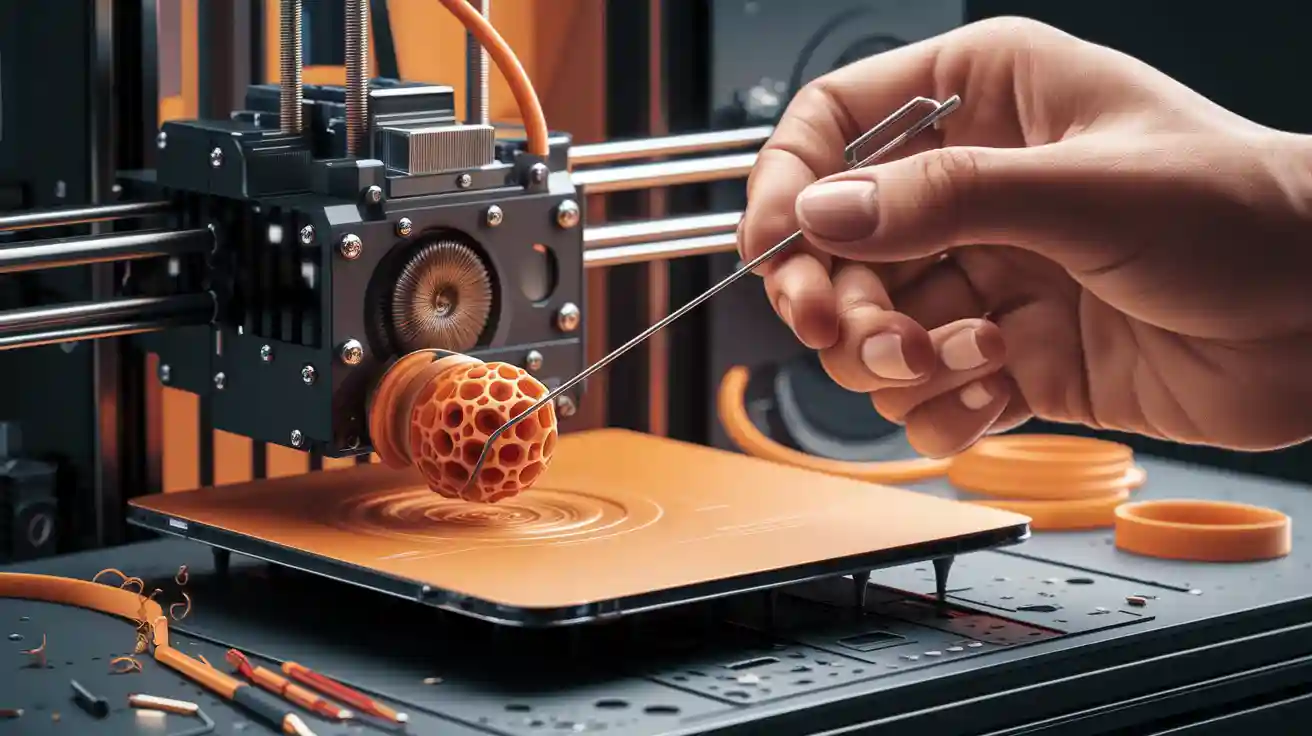
Cleaning your nozzle involves heating it, using a brass wire brush, applying an alcohol wipe, or performing a cold pull with filament. You can also soak the nozzle or use a fine needle to remove stubborn blockages.
Regular cleaning of the nozzle eliminates filament residue and blockages, ensuring consistent material flow and better print quality.
Maintaining the nozzle through cleaning also helps prolong your 3d printer's lifespan by reducing wear on key components.
With the right tools, you can manage nozzle maintenance safely and effectively.
Key Takeaways
- Regularly clean your 3D printer nozzle to prevent clogs and ensure smooth filament flow. This practice enhances print quality and extends the printer's lifespan.
- Watch for signs of a clogged nozzle, such as weak first layers or grinding noises from the extruder. Early detection can save time and material.
- Use the right tools for cleaning, including brass wire brushes and cleaning needles. These tools help maintain the 3D printer nozzle without causing damage.
- Implement a maintenance schedule based on filament type and print complexity. Cleaning after every 5-15 prints can prevent costly repairs.
- If cleaning fails, consider replacing the 3D printer nozzle. Visible wear or persistent clogs often indicate it's time for a new one.
Nozzle Cleaning Signs

Clog Symptoms
You can often spot a clogged 3D printer nozzle before it ruins your print. Watch for these signs:
- Filament fails to extrude or only a small amount comes out during printing.
- The extruder makes grinding or clicking noises as it struggles to push filament through a clogged 3D printer nozzle.
- The first layer appears weak, spotty, or does not stick to the bed, which often signals a clogged 3D printer nozzle.
- Filament curls up around the tip instead of adhering to the print bed.
- Gaps, missing layers, or thin, string-like lines show up in your prints.
- Burn residue appears on the nozzle, which can indicate a clogged 3D printer nozzle.
- Failed prints or unstable print quality become frequent.
You should also check if the filament is reaching the 3D printer nozzle. Sometimes, a long Bowden PTFE tube can hide a partial blockage. When loading filament, pay attention to whether it comes out of the nozzle. If you see filament curling up and sticking to the nozzle, you likely have a partial clog.
Print Issues
A clogged 3D printer nozzle causes a range of print defects. You may notice:
- Uneven extrusion and print defects, especially if you use low-quality or contaminated filament.
- Stringing or under-extrusion, which can result from incorrect temperature settings and a clogged nozzle.
- Dust and debris can build up, causing partial or complete clogs and visible defects in your print.
- Moisture in filament creates bubbles during extrusion, leading to inconsistent flow and a clogged 3D printer nozzle.
- Incorrect retraction settings can cause solidified filament inside the 3D printer nozzle, resulting in a clogged nozzle.
These issues not only affect print quality but also waste time and material. Addressing a clogged 3D printer nozzle early prevents more serious problems.
Clean or Replace
Sometimes, cleaning a clogged 3D printer nozzle restores performance. Other times, replacement is necessary. Use the following table to decide:
|
Criteria for Cleaning or Replacement |
Description |
|---|---|
|
Signs of wear |
Fuzzy or inconsistent filament lines, under-extrusion, uneven outer walls, unpredictable filament swerving, and extruder clicking often mean a clogged 3D printer nozzle needs cleaning or replacing. |
|
Inspection methods |
Shine a light into the 3D printer nozzle tip. Look for a widened or uneven orifice, deformation, carbonized residue, or worn edges. These signs suggest a clogged nozzle may be beyond cleaning. |
|
Maintenance tips |
Replace nozzles every few months if you print frequently or use abrasive materials. Persistent clogging, oval shapes, or rough edges mean you should replace the clogged 3D printer nozzle. |
Tip: Frequent clogging that cleaning cannot resolve, visible damage like oval shapes, or rough edges all indicate it is time to replace the clogged nozzle.
3d Printer Nozzle Cleaning Tools
Essential Tools
You need the right tools to clean your 3d printer nozzle efficiently. Experts recommend the following for best results:
- Cleaning needles: Use these thin metal rods to clear blockages inside the nozzle. They work well for quick fixes and help you avoid damaging the printhead.
- Brass wire brush: Scrub away stubborn filament residue from the exterior of the nozzle. Brass brushes are softer than steel, so they clean without scratching delicate surfaces.
- Cleaning filament: Run this special filament through your 3d printer to remove leftover material inside the nozzle.
Tip: Always use a mirror and flashlight to inspect the nozzle closely before and after cleaning.
Brush Material Comparison
|
Brush Type |
Surface Safety |
Rust Resistance |
Spark Risk |
Typical Use Case |
|---|---|---|---|---|
|
Brass |
High |
High |
None |
Nozzle exterior, heat block |
|
Steel |
Low |
Low |
Present |
Heavy-duty cleaning |
Brass wire brushes offer a safer, gentler cleaning experience. Steel brushes work better for tough, non-delicate surfaces but may damage your nozzle and create sparks.
Cleaning Materials
Choose cleaning materials that match your nozzle's needs and your 3d printer's specifications. The most effective options include:
- Isopropyl alcohol (90%-95%): Wipe down the nozzle and print head to remove grease and filament residue.
- Lint-free cloth: Prevent fibers from sticking to the nozzle during cleaning.
- Cleaning filament: Brands like H2D, eSun, and Ziro provide cleaning filaments that melt at a wide temperature range (160°C - 300°C). Use these regularly to prevent clogs and maintain smooth extrusion.
- Acetone or ethanol: Soak metal nozzles to dissolve stubborn residue. Avoid using these on brass nozzles, as they may cause corrosion.
Note: Cleaning filament is designed for preventive maintenance. Run it through your 3d printer after every few prints to keep the nozzle clear.
Cleaning Effectiveness Chart
|
Material |
Effectiveness |
Safety |
Recommended Frequency |
|---|---|---|---|
|
Cleaning Filament |
High |
High |
Every 5-10 prints |
|
Isopropyl Alcohol Wipe |
Medium |
High |
As needed |
|
Acetone/Ethanol Soak |
High |
Medium |
Monthly |
Accessories
Accessories improve your cleaning results and keep you safe during maintenance. Consider these additions:
|
Type of Cleaner |
Description |
|---|---|
|
Needle or Pin Cleaners |
Thin rods for poking out blockages; use with care to avoid damaging soft brass nozzles. |
|
Nylon Cleaning Filament |
Melts and scrubs out leftover gunk inside the hotend; safe for regular use. |
|
Ultrasonic Cleaners |
Use high-frequency waves to clean removed nozzles; ideal for frequent filament changes. |
|
Brass Wire Brushes |
Clean the exterior and heat block; avoid using inside the nozzle. |
Wear gloves to protect your hands and use a mirror for better visibility. A flashlight helps you spot residue and blockages inside the nozzle. These accessories make cleaning safer and more efficient, improving your overall 3d printer experience.
Safety Precautions
Cleaning the hot end of your 3d printer requires careful attention to safety. You protect yourself and your equipment by following these essential steps.
Power Off
Always turn off your 3d printer before you begin cleaning the hot end. Unplug the power supply to prevent accidental activation. The hot end can reach temperatures above 200°C, which poses a serious burn risk. Wait until the hot end cools down before touching any part of the nozzle or surrounding area. You avoid electrical hazards and mechanical injuries by ensuring the printer remains off during maintenance.
Protect Yourself
You reduce the risk of injury by wearing protective gloves and using proper tools. The hot end and nozzle often retain heat long after printing stops. Gloves shield your hands from burns and cuts. Use tweezers, pliers, or cleaning needles instead of your fingers when removing debris from the hot end. A flashlight and mirror help you inspect the nozzle without putting your hands near the hot end. These precautions keep you safe and improve your cleaning accuracy.
Tip: Never use your bare hands to clean the hot end. Even a brief touch can cause burns or scrapes.
|
Type of Injury |
Description |
Prevention Method |
|---|---|---|
|
Burns from hot nozzles |
Contact with the heated nozzle can cause burns. |
Use tools instead of hands, wait to cool. |
|
Cuts and scrapes |
Sharp tools and models can lead to cuts. |
Wear protective gloves. |
|
Mechanical injuries |
Moving parts can pinch or crush fingers. |
Keep hands away from moving machinery. |
Avoid Damage
You maintain the integrity of your hot end by using safe cleaning techniques. Scrub the nozzle in a gentle circular motion with a brass wire brush. This method removes residue without scratching the hot end or damaging the nozzle. Avoid using steel brushes, which can create sparks and wear down the nozzle surface. Do not force cleaning needles through the hot end, as excessive pressure may deform the nozzle or break the needle. Careful cleaning extends the life of your hot end and ensures consistent print quality.
Note: Regular inspection and gentle cleaning help you prevent costly repairs and maintain optimal performance.
Nozzle Cleaning Methods

Maintaining your 3d printer nozzle ensures consistent print quality and extends the life of your equipment. You can choose from several cleaning methods, each with unique strengths and best-use scenarios. Below, you will find step-by-step instructions and practical advice for each cleaning method, helping you clean out the hot end and keep your 3d printer running smoothly.
Cold Pull
The cold pull technique stands out as a reliable way to remove stubborn debris from inside the 3d printer nozzle. You use the filament itself as a cleaning plug, which grabs and extracts contaminants.
Step-by-step cold pull process:
- Heat the 3d printer nozzle to the recommended extrusion temperature for your filament (e.g., 220°C for PLA).
- Insert a length of nylon or cleaning filament into the 3d printer nozzle.
- Allow the filament to extrude until it flows cleanly.
- Lower the nozzle temperature to about 90°C for PLA or 160°C for ABS/PETG. Wait for the filament to partially solidify.
- Firmly pull the filament out of the 3d printer nozzle. The filament will extract residue and blockages as it exits.
A cold pull works because the filament bonds with residue inside the 3d printer nozzle as it cools. When you pull it out, it physically removes contaminants, restoring proper filament flow and preventing print defects.
Best for:
Removing internal clogs caused by burnt filament or dust.
Routine maintenance to prevent buildup.
Limitations:
Less effective for severe or hardened blockages.
Requires manual temperature control.
Needle Method
The needle method offers a quick solution for minor clogs in your 3d printer nozzle. You use a thin, specialized needle to poke through the blockage.

How to use the needle method:
Heat the 3d printer nozzle to around 250°C. This softens the filament and makes it easier to dislodge debris.
- Insert the cleaning needle gently into the tip of the 3d printer nozzle.
- Move the needle up and down to break up the clog.
- Extrude filament to check if the blockage has cleared.
The needle method works best for small, recent clogs. It is not suitable for large or deeply embedded blockages, which may require you to disassemble the extruder.
Best for:
- Quick fixes during a print job.
- Clearing minor jams without removing the 3d printer nozzle.
Limitations:
Not effective for severe clogs.
Risk of damaging the 3d printer nozzle if you use excessive force.
Soaking
Soaking the 3d printer nozzle in a solvent like acetone or ethanol provides a powerful way to dissolve tough residue, especially for PLA and ABS materials.
Soaking process:
- Remove the 3d printer nozzle from the hot end.
- Place the nozzle in a glass container filled with acetone (for ABS) or ethyl acetate (for PLA).
- Let the nozzle soak for several hours to dissolve the clog.
- Rinse the 3d printer nozzle thoroughly with water and dry it before reinstalling.
Soaking restores the 3d printer nozzle to near-new condition by breaking down hardened filament. Acetone acts quickly and efficiently, while ethyl acetate offers a gentler alternative. Isopropyl alcohol works more slowly and may not remove all residue.
Best for:
Deep cleaning after multiple failed prints.
Removing hardened or carbonized filament from the 3d printer nozzle.
Limitations:
Requires removal of the 3d printer nozzle.
Involves handling chemicals-always use gloves and ensure proper ventilation.
⚠️ Always wear personal protective equipment and work in a well-ventilated area when using solvents. Consult Safety Data Sheets for safe handling.
Brush and Heat
Using a brass wire brush and controlled heat allows you to clean the exterior of the 3d printer nozzle without causing damage.
Brush and heat cleaning steps:
- Reheat the 3d printer nozzle to 100–150°C to soften any remaining filament.
- Gently scrub the outside of the 3d printer nozzle with a brass wire brush. Avoid using steel brushes, which can scratch or spark.
- For stubborn residue, increase the nozzle temperature to 220°C for PLA or 250–260°C for ABS/PETG.
Lower the temperature to the recommended pull temperature (90°C for PLA, 160°C for ABS/PETG) if you plan to perform a cold pull afterward.
Brass brushes remove melted or burnt filament from the 3d printer nozzle surface without damaging the metal. This method works well for regular maintenance and after each print.
Best for:
- Cleaning the exterior of the 3d printer nozzle.
- Preventing buildup that can lead to clogs.
Limitations:
- Does not remove internal blockages.
- Requires careful handling to avoid burns.
-
Comparative Effectiveness Table
|
Cleaning Method |
Best For |
Effectiveness |
Time Required |
Safety Level |
Need to Remove Nozzle |
|---|---|---|---|---|---|
|
Cold Pull |
Internal residue, routine care |
High |
10-15 min |
High |
No |
|
Needle Method |
Minor clogs, quick fixes |
Medium |
5 min |
Medium |
No |
|
Soaking |
Hardened/old clogs, deep clean |
Very High |
Several hrs |
Medium |
Yes |
|
Brush and Heat |
Exterior cleaning, maintenance |
High |
5-10 min |
High |
No |
Regular use of these cleaning methods prevents costly repairs and downtime. Neglecting 3d printer nozzle maintenance leads to poor print quality, wasted filament, and potential damage to your 3d printer.
Real-world scenarios:
If you notice under-extrusion or clicking sounds, start with the needle method or a cold pull.
For persistent or severe clogs, remove the 3d printer nozzle and soak it in the appropriate solvent.
After every print, use a brass brush and heat to keep the 3d printer nozzle free of surface residue.
Tip:
You can avoid most clogs by using high-quality filament, keeping the print bed level, and performing regular 3d printer nozzle cleaning. Proper care ensures your 3d printer delivers reliable results and saves you time and frustration.
3d Printer Maintenance Tips
Troubleshooting
You may encounter persistent issues with your 3d printer even after thorough cleaning. When print quality does not improve, you need to troubleshoot further. Start by checking if the filament diameter matches the slicer settings. Adjust the extrusion multiplier to optimize material flow. Verify the extruder steps per millimeter calibration to ensure accurate filament movement. If these steps do not resolve the problem, consider replacing the nozzle. A worn or damaged nozzle can cause recurring clogs and poor print results.
|
Step |
Description |
|---|---|
|
1 |
Check filament diameter matches slicer. |
|
2 |
Adjust extrusion multiplier. |
|
3 |
Verify extruder steps/mm calibration. |
Tip: Replacing the nozzle often restores print quality when cleaning and calibration fail.
Prevent Clogs
You can prevent clogs and extend the life of your 3d printer by following a few simple habits. Store filament in sealed containers to block dust and debris. Keep filament dry to avoid moisture absorption, which leads to clogs. Regularly clean the nozzle and related parts to remove buildup. Inspect the nozzle daily and clean it bi-weekly. Disassemble the hot end quarterly for a deep clean. Choose high-quality, contaminant-free filaments that match your printer's specifications. Optimize printer settings, including temperature and speed, to prevent overheating or underheating.
- Store filament in sealed containers.
- Keep filament dry.
- Clean nozzle and related parts regularly.
- Inspect nozzle daily; clean bi-weekly.
- Disassemble hot end quarterly.
- Use high-quality filament.
- Optimize printer settings.
Low-quality filament often contains impurities and inconsistent diameters. This leads to buildup in the nozzle and restricts material flow. High-quality filament ensures consistent extrusion and reduces interruptions.
Maintenance Schedule
Experts recommend cleaning your 3d printer nozzle after every 10-15 prints or whenever you notice print quality issues. Regular cleaning maintains optimal performance and prevents clogs. The frequency depends on filament type and print complexity. Use the table below to plan your maintenance schedule:
|
Filament Type |
Print Complexity |
Cleaning Frequency |
|---|---|---|
|
PLA/ABS |
Simple prints |
After every 5-7 prints |
|
PETG/Nylon |
Complex prints |
After every 3-5 prints |
|
Exotic filaments |
High-detail prints |
After every print |
You protect your investment and avoid costly repairs by following a consistent maintenance routine. Investing in quality tools and replacement parts pays off in reliable performance and fewer interruptions.
You keep your 3d printer running smoothly when you clean the nozzle regularly. Try different cleaning techniques, such as cold pull, needle, soaking, or brushing, based on your situation. Routine maintenance saves you time and money. The table below shows that regular nozzle changes cost much less than repairs caused by neglect.
|
Maintenance Type |
Cost Range |
|---|---|
|
Regular Nozzle Change |
$10 - $50 |
|
Neglecting Maintenance |
Higher Repair Costs |
Proper care prevents frustration and protects your investment.
FAQ
Why does my 3d printer nozzle clog so often?
Frequent nozzle clogs usually result from low-quality filament, dust, or incorrect temperature settings. You can reduce clogs by using premium filament, storing it in dry conditions, and cleaning the nozzle regularly. Data shows that 80% of clogs relate to filament impurities[^1].
Why should you use a brass wire brush instead of steel?
Brass wire brushes clean your 3d printer nozzle without scratching or sparking. Steel brushes can damage the nozzle surface and increase wear. Brass offers high rust resistance and safety, making it the industry standard for nozzle maintenance.
Why is regular nozzle cleaning important for print quality?
Regular cleaning removes residue and prevents blockages. Clean nozzles ensure smooth filament flow and consistent extrusion. Studies show that routine maintenance improves print accuracy by up to 30% and extends nozzle life by 50%[^2].
Why does filament sometimes stick to the nozzle tip?
Filament sticks to the nozzle tip due to partial clogs, incorrect bed leveling, or low extrusion temperatures. You can fix this by cleaning the nozzle, adjusting the bed, and checking temperature settings. Proper maintenance prevents this common issue.
Why should you replace a nozzle instead of cleaning it?
You should replace the nozzle if you see visible wear, deformation, or persistent clogs. Worn nozzles cause poor print quality and frequent jams. Replacement restores optimal performance and prevents further printer damage.
Tip: Always keep spare nozzles on hand for quick swaps during troubleshooting.