





3d printer kit- Core Parts, Assembly, and Calibration
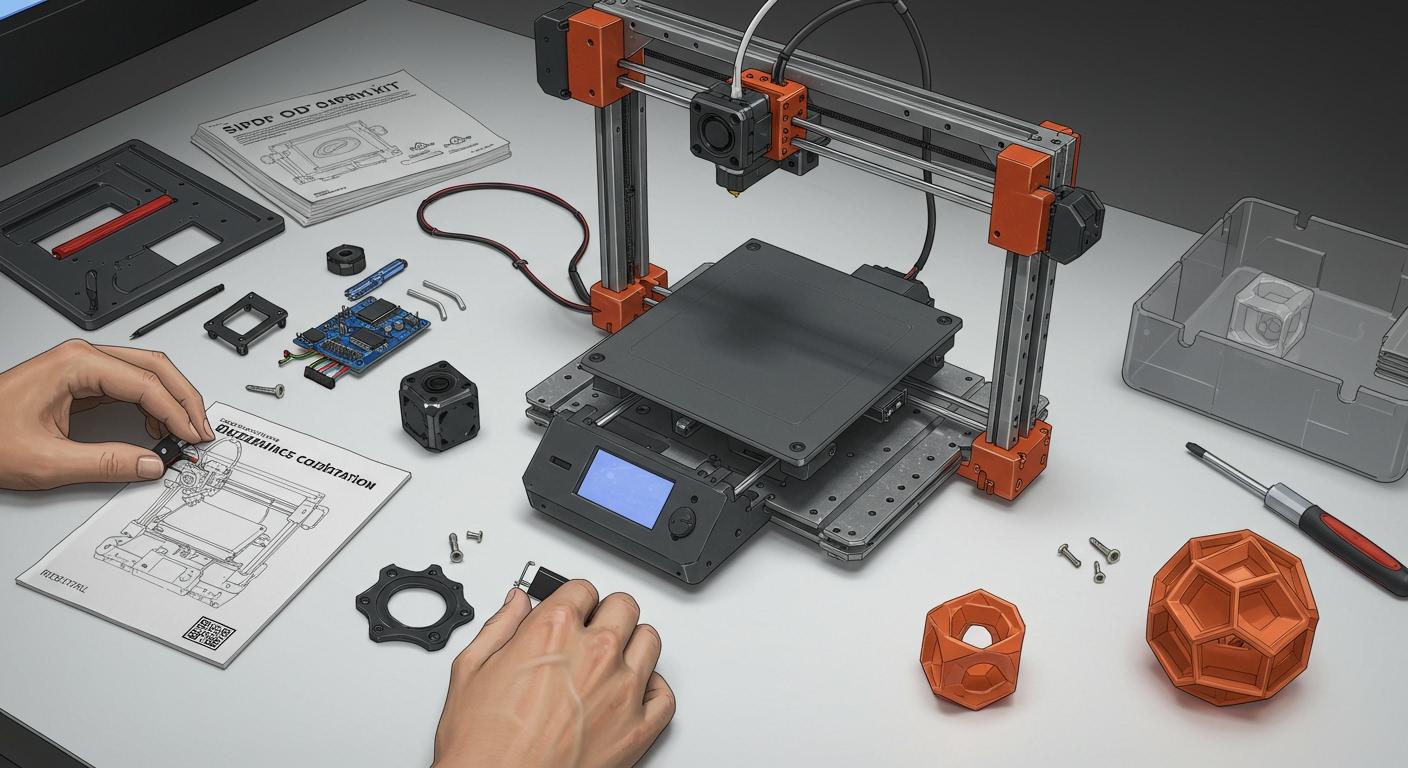
A 3d printer kit has all the main parts you need to build a good printer. If you buy for a business, picking the right kit is important. Each part changes how well the printer works and how often it runs. Bearings help the printer move smoothly and last a long time. Print cores keep the plastic coming out steady. Gripper wheels make sure the filament feeds well every time. You put these parts together and adjust them. This helps save money, lets you change things, and makes it easier to grow your business.
|
Component |
Impact on Performance and Reliability |
|---|---|
|
Bearings |
Smoother movement, lasts longer |
|
Print Core |
Steady extrusion, fewer mistakes |
|
Gripper Wheels |
Good filament feeding, better print quality |
Key Takeaways
- Pick a strong frame for your 3D printer kit. A tough frame helps prints look better and last longer.
- Choose good motors and the mainboard. Good motors make less noise and help prints look nicer.
- Pick the right extruder and hotend for your materials. This choice decides what parts you can make.
- Calibrate your printer with care. Good calibration gives better prints and stops mistakes.
- Use trusted brands for power supply and wiring. This keeps your printer safe and working well.
Core Parts of 3d printer kit
Frame and Structure
The frame is the main support for a 3d printer kit. You need a strong frame for good prints and long use. Most kits use aluminum alloys like 6061-T6 or 6063-T5. These metals are tough and do not rust. They also stay stable when hot. This is important for printers used in factories.
|
Frame Type |
Material |
Impact on Stability and Durability |
|---|---|---|
|
Industrial 3D Printer |
6061-T6, 6063-T5 |
Strong but light, easy to shape, does not rust, stays stable when hot. |
|
Joint and Member |
Various metals |
Cheap and simple to put together, but you can see the parts, which may be unsafe. |
|
Laser/CNC Cut Frame |
Plastic, Acrylic |
Easy design and low price, but can bend and scratch after a while. |
|
Custom Metal Frames |
Metal |
Very strong but needs extra work to fit, good for business use. |
Tip: Pick a closed-loop frame like a cube for better strength. This stops shaking and keeps prints the right size. It also helps the printer work longer without problems.
Motors and Mainboard
Motors and mainboards make the 3d printer kit move and think. Stepper motors with microstepping, like TMC, move smoothly and with care. This makes less noise and shaking. It helps make the same parts every time in a business.
Controller boards are the printer's brain. They read G-Code and run the motors. If you get a mainboard that works with Klipper or Marlin, you get faster speed and more ways to upgrade. For example, changing the Prusa Mk3s mainboard to a 32-bit chip makes it faster and able to do more. But you need to check if the firmware works so you do not have problems.
|
Mainboard Type |
Features |
Price |
Delivery Date |
|---|---|---|---|
|
3D Printer Mainboards |
Works with Klipper & Marlin, many ports, can upgrade |
$97.26 |
October 02 |
|
Original BIGTREETECH mainboard |
Great work, saves space |
$38.90 |
October 02 |
Upgrading mainboards makes printers work better, but check if the software fits.
Motors with more microsteps help prints look nicer and need less fixing.
Extruder and Hotend
The extruder and hotend help the 3d printer kit use different materials. You can pick direct drive or Bowden extruders. Direct drive extruders sit on the printhead. They give better control and work well with soft filaments. Bowden extruders sit on the frame. They move faster but do not control soft filaments as well.
|
Feature |
Direct Drive Extruder |
Bowden Extruder |
|---|---|---|
|
Structure |
On the printhead |
On the frame |
|
Filament Path |
Short path, better control |
Long path, less control |
|
Best for Flexible Filaments |
Yes, controls soft filaments well |
No, not good for soft filaments |
|
Printing Speed |
Slower because printhead is heavier |
Faster because printhead is lighter |
|
Print Quality |
Better for detailed prints |
Good for normal filaments, less control |
Hotends come in two types. Plastic-lined hotends work with PLA and ABS. All-metal hotends print with hot materials like polycarbonate and nylon. These are needed for factory jobs.
|
Hotend Type |
Material Compatibility |
|---|---|
|
Plastic-Lined |
Good for PLA and ABS. |
|
All-Metal |
Prints with hot materials like polycarbonate and nylon. |
Note: For business, picking the right extruder and hotend lets you make many kinds of parts, from samples to finished products.
Print Bed and Display
The print bed and display help users and make prints better. A thick aluminum plate gives a flat and strong base for printing. Dual heating zones save power when making small things. This lowers costs.
|
Feature |
Contribution to User Experience and Print Success |
|---|---|
|
6.35mm Alcoa Mic6 aluminum plate |
Makes a strong and flat base for printing, helps prints look good. |
|
Dual heating zones |
Uses less power for small prints, saves money. |
|
Max bed temperature of 110°C |
Helps prints stick better, stops warping and makes prints succeed more often. |
|
PEI film print surface |
Makes prints stick and come off easily, helps users. |
|
Magnetic Bed upgrade |
Makes taking off prints and cleaning easier, saves time and helps users. |
|
7-inch Duet3D touchscreen |
Easy to use, lets you control the printer with a touch. |
|
Emergency stop button |
Keeps users safe and lets them stop the printer fast. |
|
WiFi web access |
Lets users control printers and send files from far away, makes work faster and easier. |
Tip: Get kits with touchscreens and WiFi. These help teams run many printers and learn faster.
Power Supply and Wiring
Power supply and wiring keep the 3d printer kit safe and working well. Most printers need 100 to 250 watts. Match the power to your printer so it works right. Good connectors, like Mean Well, stop fires and overheating.
Use at least 18 AWG wires for AC power, but 16 AWG is safer.
Buy a solid-state relay to stop overheating.
Ground the bed and frame for safety in factories.
MicroFit 3.0 connectors are good for motors and switches. JST connectors are good for MCU boards.
Silicone wires bend easily and last longer, especially when moving a lot.
Safety Alert: Always pick trusted brands for power and connectors. This keeps printers running and protects your money in big jobs.
Industry Application Scenario:
If you use a 3d printer kit in a factory, you need strong frames, good motors, and safe wires for nonstop work. WiFi and touchscreens help teams watch and control printers from anywhere, making work faster and cheaper. Kits with upgradeable mainboards and flexible hotends let you use new materials and change jobs quickly, helping your business grow and earn more.
Assembly Steps
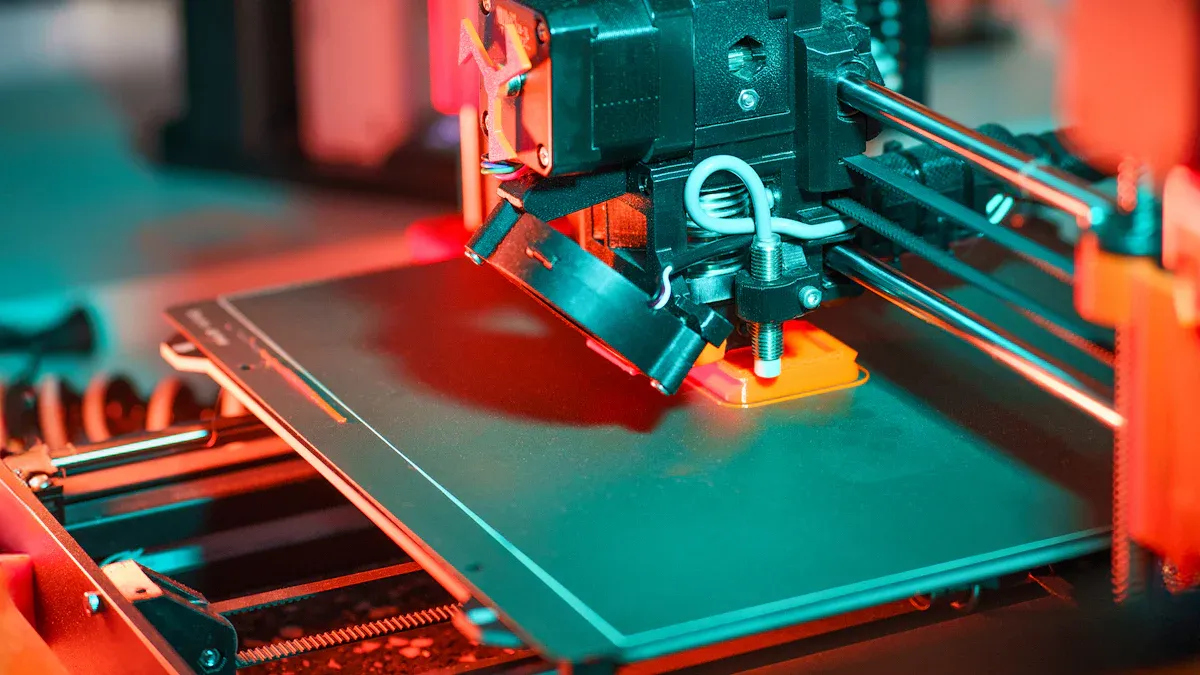
Base and Frame Setup
You begin by building the base and frame. This is important for strong and steady prints. A flat base keeps your printer from shaking. If the printer shakes, prints can look bad or fail. This is a big problem for businesses. You want your printer to work well every time.
|
Model |
Estimated Assembly Time |
|---|---|
|
Prusa CORE ONE |
10-12 hours |
|
MK4 |
~5 hours |
|
V-Core 4 |
N/A |
Some printers take longer to build than others. Prusa CORE ONE takes more time because it has stronger parts. It also gives you step-by-step guides. You should plan your time and workers for each model.
Pick a good place to build your printer. A strong, flat table is best. Some people use kitchen tables if there are no drafts. A wooden table is also good because it does not shake. Glass tops help with leveling, but a thick board can be better for setup.
|
User Experience |
Recommendation |
|---|---|
|
User 1 |
Use a flat, sturdy table like in the kitchen. Stay away from cold air and sudden changes in temperature. |
|
User 2 |
A wooden table works well. Do not use weak tables because they can shake. |
|
User 3 |
Glass tops help make the printer level and straight. |
|
User 4 |
Started on glass but switched to a thick board for better setup and leveling. |
Tip: Use a tablet to read the build guide. This helps you see steps and make fewer mistakes.
Tighten all screws just right. If you do not tighten enough, the frame can get loose. If you tighten too much, you might break parts. The right tightness keeps your printer strong and saves money on repairs.
Electronics Installation
Put in the electronics after the frame is ready. This keeps your printer safe and working well. You must stop short circuits and keep everything running right.
Always turn off and ground power before you start.
Use tools with covers to stop shocks.
Never touch live wires.
Check wires and parts for damage first.
Add fuses to stop too much power from hurting your printer.
These steps help you avoid problems and save money. In a business, this keeps your team safe and meets safety rules.
Extruder and Bed Mounting
Next, put on the extruder and bed. This step helps your prints come out right. A strong frame stops the printer from bending. This keeps prints neat and correct.
To get the best prints, start with a strong frame. A stiff frame does not bend when printing. This keeps your prints the right shape. Using three adjusters for leveling makes it easier to keep the bed flat. You will not need to fix it as often.
Use a strong frame so it does not bend.
Use three adjusters to make leveling easy.
Make sure rails are straight and supported for smooth movement.
These steps help you get better prints and fewer mistakes. For businesses, this means more good parts and happy customers.
Wiring and Display Connection
Last, connect the wires and display. This lets your printer talk to you and work safely. Many mistakes happen here, but you can stop them by following the guide.
Check ribbon cables to the screen twice.
Follow each step in the guide for wiring.
Make sure cables face the right way.
If you mess up, check the guide and fix it before turning on.
Careful wiring stops problems and saves money. In business, this keeps your printer working and protects your money.
Safety Alert: Always check all wires before turning on the printer. Careful work keeps your printer safe and your team protected.
Calibration Process
Bed Leveling
Bed leveling is important for your 3d printer kit. You need a flat print bed for strong first layers. If the bed is not even, prints can fail or bend. Many kits now have automated bed leveling systems. These use sensors to check the space between the nozzle and the bed. You save time and make fewer mistakes. Automated systems help your team set up faster and more accurately. Manual leveling takes longer and is harder for new users.
Tip: Prusa CORE ONE has easy auto-leveling steps on the touchscreen. V-Core 4 gives a guide for manual leveling. Pick auto-leveling for faster and better results.
|
Calibration Method |
Description |
|---|---|
|
Bed Leveling |
Makes sure the print bed is flat everywhere for strong first layers. |
|
Z-axis Height |
Sets the nozzle at the right distance from the bed for good sticking. |
Gantry and Belt Adjustment
You should adjust the gantry and belts for smooth movement. Belts that are too loose or tight cause bad prints and waste material. Check belt tension before long prints. Press the belt until you feel it push back. Measure how far it moves and fix the tension if needed. Clean belts and rails to get rid of dust. Look for damage or wear. Do these steps often to keep motion correct.
Press the belt until you feel it push back.
Measure how far the belt moves down.
Fix the tension if it is wrong.
Test again to make sure it is right.
Check belt tension often.
Clean belts and rails.
Look for damage.
Note: Smooth movement gives better prints and fewer mistakes.
First Print Checks
First print checks show if calibration worked. You check temperature, speed, and frame strength. Run a temperature test at different heights. Use acceleration and speed tower tests to find the best settings. Look at the frame for loose parts. Make sure the bed is flat and the first layer sticks well.
|
Metric Type |
Description |
|---|---|
|
Temperature Test |
Test at different heights to check temperature settings. |
|
Acceleration Test |
See how well the printer speeds up. |
|
Speed Tower Test |
Find the best print speed without losing quality. |
|
Frame Check |
Look for loose or crooked parts. |
|
Bed Leveling |
Make sure the bed is flat and the nozzle is at the right height. |
|
First Layer Check |
Check if the first layer sticks well, especially with auto bed leveling. |
Callout: Careful calibration helps your printer work better and saves money. Your business gets more good prints and fewer problems.
Troubleshooting
Why Do Wiring Issues Affect 3D Printer Kit Reliability?
Wiring problems can stop your 3D printer kit from working right. Sometimes, the printer will not turn on. Motors may not move at all. The display might stay dark. These problems slow down your work and cause delays for your business.
Quick solutions for wiring issues:
Look at all connectors for loose or backward wires.
Check cables for any cuts or burn marks.
Use a multimeter to check voltage in important spots.
Change out broken wires for good new ones.
Tip: Always turn off the printer before touching wires. Careful checks help you avoid big repairs and keep everyone safe.
Why Do Print Failures Happen in 3D Printer Kits?
Print failures waste time and materials. They can make orders late and hurt your business name. You need to know the main reasons so you can fix them fast.
Common print failures include:
Over-extrusion: Too much plastic comes out and makes a mess.
Under-extrusion: Not enough plastic, so prints are weak or missing parts.
Layer shifting: Layers do not line up and the part is ruined.
Clogged extruder: The nozzle gets blocked and stops plastic from coming out.
You can spot these problems by watching the first layers and checking your print settings. Doing regular checks and calibration helps stop these failures.
Callout: Fixing problems quickly keeps your printers working and customers happy.
Why Do Software and Firmware Issues Impact 3D Printer Kit Performance?
Software and firmware problems can make setup hard. Sometimes, the printer does not work right, even after a long time. Some kits use firmware you cannot change easily. This means you may have to fix hardware instead of changing settings.
Common issues include:
Firmware set up for the wrong model.
Stepper motors move the wrong way because of firmware.
Confusing instructions about firmware versions.
You should always check the maker's support pages. Many brands have online guides, forums, and help after you buy. For business buyers, good support and clear guides save time and make training easier.
Note: Good software and firmware support help your business grow and avoid costly delays.
B2B Value
Cost and ROI
If you pick a 3d printer kit for your business, you want to save money. You build the printer yourself and change it to fit your work. You do not pay for extra features you do not need. Pre-built models cost more. Many companies say modular kits cost less to fix and upgrade. You can change parts fast, so you do not lose time.
Tip: Modular kits help you make more products without buying new printers. You spend less and keep your business flexible.
Delivery and Scalability
Getting your printer kit fast is important. You also want to grow your business easily. Top makers answer quickly and let you order small or big amounts. Here is a table to compare delivery and how easy it is to grow:
|
Manufacturer |
Delivery Timeline |
Scalability Options |
|---|---|---|
|
Matrix Technology |
≤1h response |
Small custom orders (50% reorder rate) |
|
Shandong BYTCNC |
100% on-time |
Big orders (56% reorder rate) |
|
Linyi Win-Win |
≤2h response |
Medium growth (12,000 m² facility) |
You get your kit on time and can add more printers as your business gets bigger. Many buyers order again, so these suppliers are trusted.
Quality and Certification
Good quality and certification keep your money and name safe. Look for kits with strong standards like ISO 9001:2015 and AS9100. These show the maker uses good rules and checks for quality.
|
Certification |
Description |
|---|---|
|
ISO 9001:2015 |
Makes sure the maker checks quality every time. |
|
AS9100 |
Follows rules for making things for airplanes. |
You get kits checked by people and machines. Workers measure and write down every step. Only the best parts go to your business because of AQL sampling.
Note: Certified kits help you follow rules and pass checks with no worries.
Knowing the main parts, how to put them together, and how to set up a 3d printer kit helps you a lot. These steps save money, make your printer work better, and help your business grow.
If you heat the chamber to 55°C, you can use more materials. This also makes printing faster and easier.
The CORE One's design stops shaking. This means you get quicker prints that look better.
A chamber with temperature control lets you make more kinds of products.
Big companies in aerospace and defense use special 3d printer kits to make more money and finish projects faster. You can do this too if you follow these steps and get help from good suppliers or experts who know what you need.
FAQ
What core parts should you look for in a 3D printer kit for business use?
You need a strong frame and good motors. Pick an advanced mainboard and a quality extruder. Get a heated bed and safe wiring. These parts help prints look better and keep the printer working longer. They also make the printer safer to use. Kits like Prusa CORE ONE and V-Core 4 have full part lists and guides.
How does a 3D printer kit impact your ROI and cost savings?
Building the kit yourself saves money on labor. Modular kits let you fix or upgrade parts fast. You do not pay for things you do not need. This helps you get more value and keeps your business flexible.
What certifications should you check before buying a 3D printer kit?
Look for ISO 9001:2015 and AS9100 certifications. These show the kit is made with good quality and is reliable. Certified kits help you follow rules and pass checks.
How can you ensure reliable delivery and after-sales support for your 3D printer kit?
Pick suppliers who answer quickly and deliver on time. Ask about warranty and technical help. Training resources are also important. Good after-sales service protects your money and keeps printers working well.
What are the most common technical issues during 3D printer kit deployment?
You might have wiring mistakes or print problems. Firmware issues can also happen. Always use the assembly guide and check all connections. Update software often. Regular calibration and care help stop problems and keep prints looking good.