



3D Printer Design Software: Key Features, Applications, and Selection Guide

You use 3D Printer Design Software to make your ideas into digital models. These models are ready for making things. This tool helps you work faster and save money. It finds mistakes before you start printing. Picking the right 3D Printer Design Software can help your prints work better. It can also help you have less waiting time. You might have problems like your hardware not working with the software. You may also need software that can grow with your needs. It is important to find good help when you need it.
Key Takeaways
- Pick software that is easy to use. This helps you work faster and make fewer mistakes. A simple design lets new users learn quickly.
- Make sure your software works with many file types. This helps you avoid delays. It also lets you switch between tools easily.
- Find modeling tools that match your project needs. Good designs help you get better prints. They also help you make fewer mistakes.
- Choose software that works well with other programs. This makes your work easier. It also helps your team work together better.
- Think about how the software can grow with you. Scalable tools help your business take on bigger projects. You can do more without problems.
Key Features of 3D Printer Design Softwar
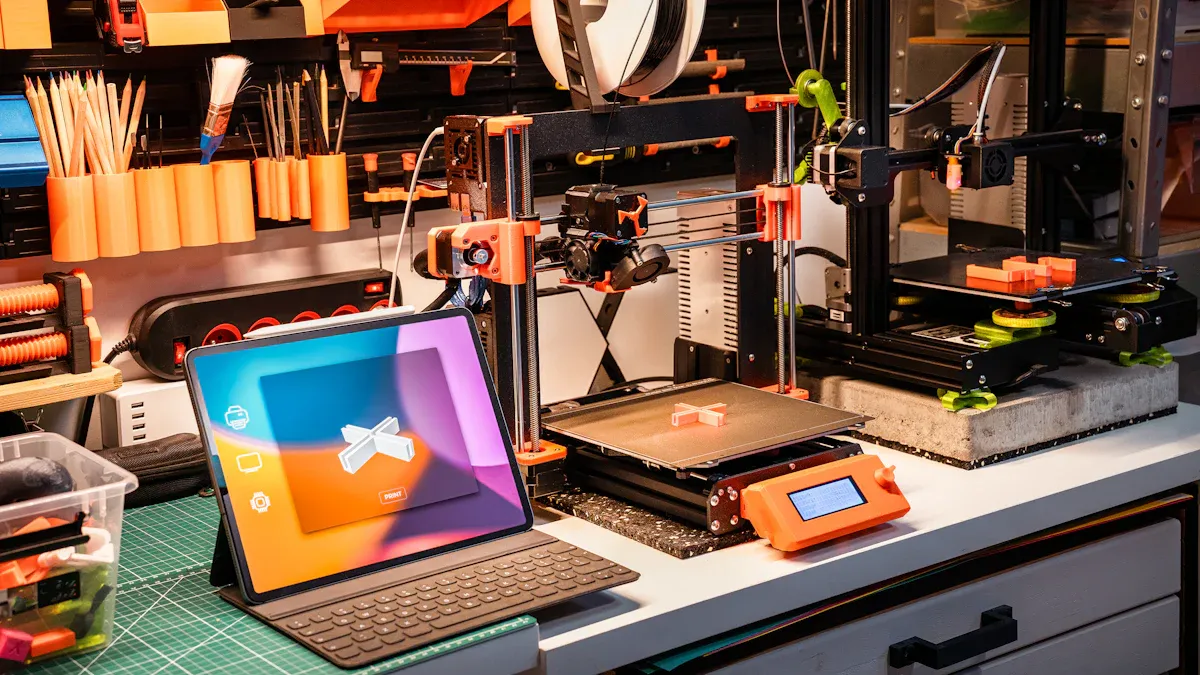
Picking the right 3D Printer Design Software can change how you work. It can help your business do better. You should know which features are important for your projects. These features help you avoid mistakes that cost money. They also help you spend less time waiting and make better prints.
User Interface
A simple user interface helps you work quickly. It also helps you make fewer mistakes. You want software that is easy to use. This is good even if you are new to 3D modeling. TinkerCAD uses drag-and-drop, so beginners like it. Fusion 360 and SOLIDWORKS have more tools for experts. A good interface means you learn faster. Your team can get more done.
File Formats
Your 3D Printer Design Software should work with many file formats. This lets your models work with different printers and other tools. Fusion 360 and TinkerCAD use popular formats like STL, OBJ, and 3MF. Exporting files is important. It lets you move designs between software and printers. This makes fewer mistakes and saves you from doing work again.
Tip: Always check if your software can export the format your printer needs. This helps you avoid delays and mistakes.
Modeling Tools
Good modeling tools help you make accurate designs. You want software that fits your project. Some people make mechanical parts. Others make art models. Here is a table that shows modeling types and how they help:
|
Modeling Type |
Software Examples |
Impact on Design Accuracy |
|---|---|---|
|
Parametric Design |
Fusion 360, OpenSCAD |
Makes sure measurements are exact and models are organized. |
|
Sculpting |
SculptGL, ZBrush |
Lets you add tiny details to shapes. |
|
Hard Surface Modeling |
TinkerCAD, Blender |
Helps you make complex mechanical parts with precision. |
|
Photogrammetry & Scanning |
AliceVision, Laser Scanning |
Keeps real object sizes and textures correct. |
You get better prints and fewer mistakes with the right tools. Fusion 360 and TinkerCAD help you find errors early. They make sure your models are ready for printing.
Simulation & Preview
Simulation and preview let you see your design before printing. These tools help you save material and time. You can:
Find problems like warping before you print.
Test your design in a virtual printer.
Change your model and settings after seeing feedback.
These features help you make fewer mistakes. You save money and finish projects on time.
Integration
Integration connects your 3D Printer Design Software to other tools. You want software that does tasks for you and manages jobs. It should link data across your production line. Here is a table that shows how top platforms help:
|
Software |
Integration Capabilities |
|---|---|
|
Sculpteo |
Fixes STL files, checks 3D files, gives quotes, tracks jobs, all in one place. |
|
Oqton FactoryOS |
Links data for special industry needs. |
|
Print & Go |
Watches prints in real time, uses AI to find errors. |
|
Siemens Opcenter |
Controls data and production lines for better use of resources. |
|
ZAP |
Connects machines, tracks parts, and sets priorities. |
|
3DPrinterOS |
Tracks printing time, sets priorities, shares projects. |
|
3D Trust |
Schedules and tracks materials automatically. |
|
AMFG |
Works with ERP, PLM, and CAD software for full manufacturing. |
Strong integration makes your work easier and reduces mistakes. It helps your business grow and lowers risks.
Collaboration
Collaboration lets your team work together at the same time. Everyone can see the newest design and give feedback. With Fusion 360, you can:
See designs in detail to find problems early.
Share ideas and talk about changes.
Work together to finish projects faster.
Track progress and make smart choices.
These features help your team work better. You finish projects faster and make fewer mistakes.
Cost & Licensing
Think about the cost and license of your 3D Printer Design Software. Some tools like FreeCAD and TinkerCAD are free. These are good for new businesses or schools. Others like SOLIDWORKS and 3ds Max cost money but have more features. Subscriptions help you control costs and grow your business. Always check what your license includes, like updates and support.
Note: Picking the right software helps you avoid problems later. You get more value by choosing what fits your needs now and in the future.
Software Categories
There are three main types of 3D Printer Design Software:
CAD/Modeling Software: Used to make and change 3D models (like Fusion 360, SOLIDWORKS, FreeCAD, TinkerCAD, SketchUp, 3ds Max).
Slicers: Turn 3D models into printer instructions (like Cura, PrusaSlicer).
Printer Host Software: Runs the printing and connects to hardware (like OctoPrint, Repetier-Host).
Picking the right type keeps your work smooth and your prints high quality.
Applications
Prototyping
3D Printer Design Software helps make prototypes faster in factories. Companies use it to make trays that hold parts and help with making things. You can test your ideas quickly and change them if needed. This helps you finish orders on time. Prototypes also help set up robots for new jobs. This saves time when starting new assembly lines. Fast prototyping lets you try ideas, waste less, and sell products sooner. It also saves money and lets engineers check designs more times in less time.
Make custom trays and tools as prototypes.
Test and change designs fast.
Cut down wait times and waste.
Help robots work better on new lines.
Education
Schools use 3D Printer Design Software so students can learn by doing. At Vathorst College, students design and print rocket parts. They use science and engineering ideas in real life. This helps students see their ideas turn into real things. In Baltimore, after-school groups use 3D printing to teach hard ideas and help kids think better. These tools make learning fun and get students excited about STEM.
Make and print real projects, like rocket parts.
Learn by making things, not just reading.
Grow teamwork and problem-solving skills.
Get more interested in science and engineering.
Art & Creative
Artists use 3D Printer Design Software to make new kinds of art. You can create cool shapes, detailed statues, and fix old art. For example:
Dario Santacroce makes sandstone balls that look perfect.
David Wenzel prints comic book figures for shows.
CONCR3DE rebuilt the Palmyra Arch, which was lost.
Zaha Hadid Architects make new art for Milan Design Week.
You can mix old art ways with new tech and find new ways to be creative.
Industrial
Factories use 3D Printer Design Software to make products and parts. You can change designs easily, work faster, and waste less. Many companies use it to make first models, special products, and better work steps.
More factories now use 3D printing. It gives them more ways to design, make things faster, and waste less. These are important for today's factories.
|
Aspect |
Description |
|---|---|
|
Workflow Integration |
Makes it easier to use 3D printing in big factories. |
|
Collaborative Engagement |
Lets teams work together at the same time, even far away. |
|
Multi-material Applications |
Helps make parts with different materials and ways. |
You can also depend less on far-away suppliers and get products to customers faster. This is very important for phone companies and big builders.
Medical
Doctors use 3D Printer Design Software to make special devices and models for patients. You can design prosthetics that fit one person, plan surgeries, and even work on growing tissues. These uses help patients feel better and heal faster.
|
Application Type |
Impact on Patient Outcomes |
|---|---|
|
Patient-specific prosthetics |
Better fit and comfort for long use. |
|
Surgical models |
More accurate and faster surgeries. |
|
Bioprinted tissues |
Better healing and fewer problems. |
Doctors use these models to practice hard surgeries. This makes surgeries safer and helps patients get better sooner.
Selection Guide
Picking the right 3D Printer Design Software can change how you work. You need software that fits your needs now and helps you grow later. This guide shows why each thing matters and how to choose the best one for your business.
Skill Level
You should get software that matches your team's skills. If the tool is too hard, your team may get stuck and waste time. If it is too easy, you might miss features for big projects.
Hard tools slow down new users.
Easy platforms like 3DPrinterOS help everyone work faster.
Some tools are so simple that even kids can use them.
Tip: Pick software that fits your team's skills. This helps you train faster and make fewer mistakes.
Compatibility
Your software must work with your printers and other tools. If you skip checking this, you may have delays and spend more money. Always see if the software uses your printer's file types and works with your other tools.
Know what you want and which printers you use.
Make sure the software uses the file types you need.
Check if it works with other tools in your line.
Compatibility helps your work go smoothly and stops downtime.
Budget
You want good value for your money. Some software is free and covers basic needs. Others cost money but give you more features and help.
Think about your budget and what features you need.
Compare the price of licenses, updates, and help.
Look at how much you will save over time, not just the first price.
Picking the right software can lower your costs and help you avoid problems.
Support
Good support helps you fix problems fast. You need help from experts, updates, and a user group. This support saves time and keeps your work going.
|
Resource Type |
Description |
|---|---|
|
CAD Software |
Needed for making parts for 3D printing. |
|
Slicing Software |
Turns CAD designs into layers for printing. |
|
Community Support |
Forums and sites where users help and share designs. |
You can also get help and find resources on sites like:
Thingiverse: Download and share 3D designs.
Physics Forums: Talk and find software tips.
Good support means less downtime and helps your team work better.
Trial & Demo
Trying software before you buy helps you avoid problems. Free trials and demos let you see if the software works for you.
Use trial versions to test features and see if it fits.
Check if the interface is easy to use.
Make sure the software does what your project needs.
Testing the software helps you choose wisely and saves money.
Scalability
Your business may grow, so your software should grow too. Scalable software lets you add more users, printers, and bigger projects as you need.
Fast production helps you grow.
Automation tools make work easier and cut mistakes.
The right software helps you design better parts and work faster.
Lower costs help you spend more on growth.
Flexible software lets you change when things change.
Check your work steps and add automation to save time and money.
Scalable software helps you do more projects, stop downtime, and grow your business for the future.
Comparison Table
Popular Software
You need to pick 3D Printer Design Software that matches your business needs. The table below shows top choices. You can compare features, price, and support easily. This helps you pick what works best for your work and budget.
|
Software |
Key Features |
Cost |
User Support |
Compatibility |
|---|---|---|---|---|
|
Fusion 360 |
Parametric modeling, simulation, cloud sharing |
Subscription |
Strong community, tutorials |
Most printers, STL/OBJ |
|
SOLIDWORKS |
Advanced CAD, assemblies, simulation |
Expensive |
Professional support |
Industrial standards |
|
FreeCAD |
Open-source, parametric, modular |
Free |
Forums, wiki |
STL/OBJ, plugins |
|
TinkerCAD |
Browser-based, drag-and-drop, beginner-friendly |
Free |
Tutorials, help center |
STL/OBJ, web export |
|
SketchUp |
Intuitive modeling, plugins, 3D warehouse |
Free/Paid |
Community, help center |
STL/OBJ, plugins |
|
3ds Max |
High-detail modeling, animation, rendering |
Expensive |
Professional support |
OBJ, FBX, plugins |
|
Ultimaker Cura |
Slicing, print profiles, multi-material |
Free |
User-friendly, integration |
Ultimaker printers |
|
PrusaSlicer |
Slicing, multi-extruder, customization |
Free |
Community, tutorials |
Prusa printers, STL |
|
Simplify3D |
Advanced slicing, support generation |
Expensive |
Limited, steep learning |
Most printers, STL |
Tip: Always make sure your software works with your printer and how you work. This helps you avoid problems and extra repair costs.
Feature Overview
You want software that fits your technical needs and business rules. The list below shows the main things each type does. You can use this to see what matches your project.
CAD/Modeling Software:
Focuses on making designs accurate and easy to change.
Examples: Fusion 360, SOLIDWORKS, FreeCAD, TinkerCAD, SketchUp, 3ds Max.
Follows important rules like ISO and ASTM for strong and long-lasting parts.
Slicers:
Changes models into printer steps, saves material, and lowers mistakes.
Examples: Ultimaker Cura, PrusaSlicer, Simplify3D.
Has special settings for using more than one material or extruder.
Printer Host Software:
Handles print jobs, checks progress, and links to hardware.
Examples: OctoPrint, Repetier-Host.
Keeps printers working well and helps big companies avoid problems.
Picking scalable and compatible 3D Printer Design Software helps you save money and avoid delays. It also means you spend less on repairs and keep projects on track.
Picking the right 3D printer design software helps your business do well. You can print things faster and spend less money. Your team can also work together better with good, flexible tools. Some companies, like 3DPros and Moose Toys, saved up to 20% in costs. They also got their products out to customers faster. Materialise Magics made it easier to handle hard designs and work more quickly.
Think about what you need and look at the comparison table to help you choose.
Try out demos, talk to sellers, and join user groups to learn more.
Good software means your machines stop less and your business can grow.
References
Autodesk Fusion 360 Case Studies
Materialise Magics White Paper
3DPros Engineering Reports
Moose Toys Product Development Insights
Industry Standards: ISO, ASTM
FAQ
What makes 3D printer design software essential for business success?
You need this software to stop machines from breaking down. It helps you avoid mistakes that cost a lot of money. The software makes your work steps the same each time. You finish projects faster and save time. You can check quality and fix things easily. This helps your business grow for a long time.
Why should you choose software with strong compatibility features?
Pick software that works with many printers and file types. This helps you spend less on repairs. Your work goes smoothly without stopping. Compatibility lets you grow your business. You can help more customers and work faster.
How does good support in 3D printer design software lower risks?
You get quick help when something goes wrong. Good support means your machines stop less. You pay less for fixing things. Your team can fix problems fast. This keeps your projects moving and saves your money.
Why is scalability important in 3D printer design software?
You want software that grows with your company. Scalable tools let you add more people and printers. You can do bigger jobs and reach new customers. You do not need to change everything to grow.
What ROI benefits can you expect from investing in advanced 3D printer design software?
You save money by making fewer mistakes. You finish work faster and use less material. Advanced tools help you do more jobs quickly. Over time, you earn more and spend less fixing things.