



You might wonder if a 3d printer fits your needs. Many people buy a 3d printer to save money by making household items, create custom parts, or start a small business. With a 3d-printer, you can design and print unique gifts or replacement pieces right at home. In North America, 3d printer ownership leads the world, driven by high demand for DIY, education, and creativity. The 3d-printer trend grows fast in Asia Pacific as well, especially for hobbyists and schools. If you want to explore science, art, or engineering, a 3d printer like the Kuongshun K10 3D Printer can open new doors. Before you invest in a 3d-printer, think about what you hope to achieve with 3d printing in your daily life.
3D Printer Pros
Creative Projects
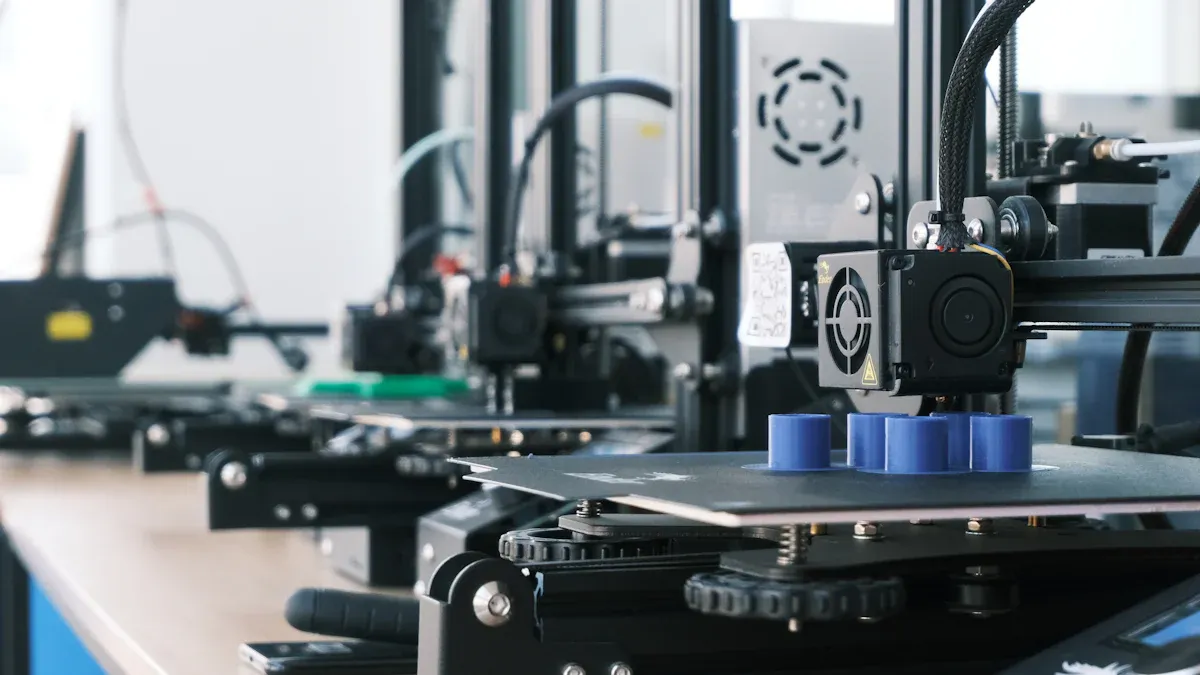
A 3d printer lets you try many creative ideas. You can make detailed prototypes, phone cases, car parts, and medical implants. Many people like making metal parts or cool models. 3d printing helps you turn ideas into real things fast. This makes product development quicker. Some projects finish in hours. Others take days, based on size and detail. You can make one item or a few at a time. This gives you more control and pride in your work. Print quality depends on your settings and the 3d-printer you pick. Most new machines give great results.
Customization
A 3d printer makes it simple to change designs. You do not need costly molds or tools. Just update your digital model and print. This is great for small batches or special items. You can make gifts, parts for your needs, or fix things at home. The technology lets you design shapes that old methods cannot make. You waste less and save money on small jobs. Customizing things gives you more joy and better results.
Learning Benefits
3d printing helps students, hobbyists, and workers learn. You get real practice with design and problem-solving. Many schools use 3d printers for STEM and STEAM lessons. You can print models to understand hard ideas. This helps you learn and see things better. 3d projects build creativity and teamwork. You become a maker, not just a buyer. This boosts your confidence and happiness. Teachers say students pay more attention and behave better with 3d printers.
Community Support
You do not have to learn 3d printing by yourself. Online and local groups can help you. You can join contests, share models, and get tips from others. Sites like Thingiverse and GrabCAD have free designs to use or share. Many libraries and centers offer 3d-printer classes and loan programs. Free software and online tools help you start, even if you are new. These groups help you fix problems and get better prints. They also help you find new ways to use your 3d printer.
3D Printer Cons
Cost and Upkeep
You need to consider the cost before you start 3d printing. The initial price for a consumer-grade 3d printer like the Kuongshun K10 ranges from $200 to $7,500. This is only the beginning. You will also spend money on materials, maintenance, and electricity. Basic filament, such as ABS or PLA, costs about $20 per kilogram. Specialty filaments can start at $40 per kilogram. You may need to replace nozzles ($10–$50) and build plates ($25–$100) over time. Maintenance costs can add up to $50–$500 each year, depending on how much you use your printer. Here is a quick look at typical 3d printing costs:
|
Cost Component |
Estimated Range (USD) |
|---|---|
|
Initial Cost (Hobbyist) |
$200 - $7,500 |
|
Annual Maintenance |
$50 - $500 |
|
Build Plate Replacement |
$25 - $100 |
|
Nozzle Replacement |
$10 - $50 |
|
Material (Filament) |
$20 - $100 per kilogram |
You should plan for these expenses when you weigh the pros and cons of 3d printing.
Learning Curve
3d printing has a learning curve. You will spend time learning how to use the printer, software, and materials. Many users need several weeks or months to move from basic prints to consistent, high-quality results. You must adjust settings, troubleshoot errors, and learn new skills. Managing different operating systems, training users, and protecting your designs can also add to the challenge. Most people reach a good level of skill after about a year of regular printing.
Print Limitations
Entry-level 3d printers have size and material limits. Most desktop models offer a build volume of about 200 x 200 x 200 mm. This means you can print small objects like figurines or parts, but not large items. Minimum wall thickness also matters. For FDM printers, you need at least 0.8 mm for strong prints. The type of material you use affects what you can make. Plastics allow for bigger prints, while metals and resins have stricter size limits.
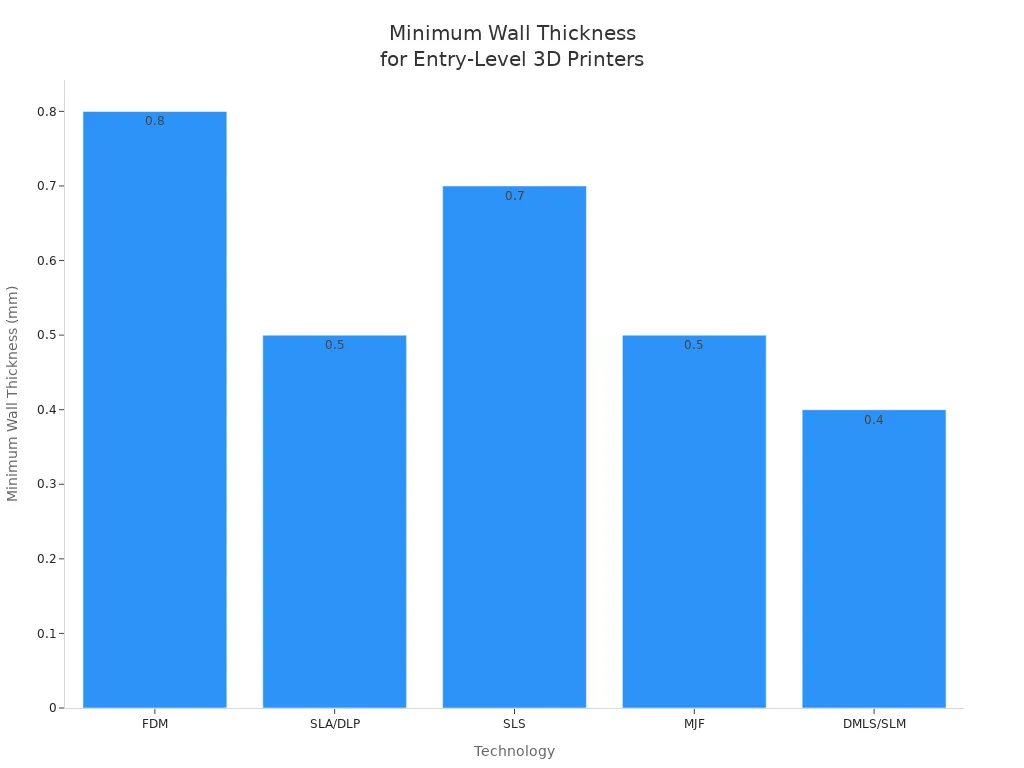
You should check these limits before starting a new 3d printing project.
Time Investment
3d printing takes time. You will spend hours learning, setting up, and maintaining your printer. Basic cleaning takes 30 to 60 minutes. More complex tasks, like adjusting belts or replacing parts, can take up to half a day. Printing itself is not fast. Some prints finish in a few hours, but others may take a full day. You need patience and planning to get the best print quality. Over time, you will get better, but you must invest time to see results.
3D Printing Uses
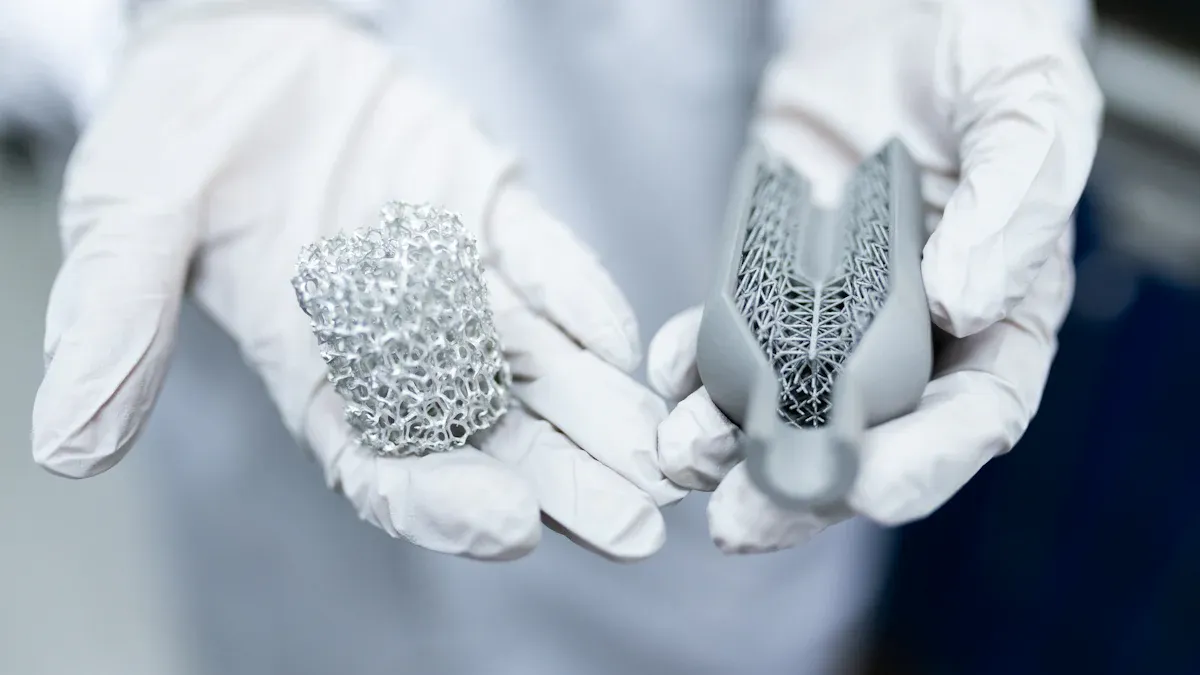
Home Solutions
You can use 3d printing to fix things at home. If you lose a small part, you can print a new one. Many people make drawer handles, phone stands, or special hooks. You can design organizers for your kitchen or office. As you learn more, you can do even more with 3d printing. You can also print toys or puzzles for kids. Printing at home saves time and lets you make things that fit your needs.
Hobby and DIY
3d printing is a fun hobby for many people. Many hobbyists start by making simple models or parts. Later, they try bigger projects. Now, you can print tools, prototypes, and other cool things. Some people make custom parts for cars or drones. Others create art pieces or cosplay props. There are always new DIY projects to try. You can join online groups to share your work and learn more. 3d printing helps you turn ideas into real things, so it feels rewarding.
Tip: Begin with easy projects to learn how your printer works. When you get better, you can try harder projects.
Education
Schools use 3d printing to make learning more fun. You can print shapes for math or models for science. Teachers use 3d printing so students can see and touch what they study. This helps different types of learners and builds problem-solving skills. Many schools say students pay more attention and learn better. Students learn to use design software and printers, which helps them in the future. In school, you can print maps, artifacts, and even parts for robots.
|
Education Level |
Integration Methods |
Reported Outcomes |
|---|---|---|
|
Primary Education |
Use of beginner-friendly CAD software (Tinkercad, BlocksCAD, 3D Slash) |
Hands-on learning, introduction to design concepts |
|
Secondary Education |
Advanced CAD software, interdisciplinary projects, robotics, project-based learning |
Critical thinking, problem-solving, collaboration, technical skills |
|
Higher Education |
Research, prototyping, industrial applications |
Academic performance, practical skills, innovation, real-world problem solving |
Small Business
3d printing gives small business owners new chances. Over 75% of online 3d printing buyers are small or midsized companies. More than 68% use 3d printing for making samples and early products. About 43% use it in their production work. You can use 3d printing to get parts faster and cut wait times. Many businesses say they are more creative and develop products quicker. 3d printing helps you offer custom products, on-demand services, and fast samples. You can make more money by lowering costs and making special items. The Kuongshun K10 3D Printer lets you try these business ideas and find new ways to grow.
3D Printer Cost
Purchase Price
3D printers come in many price ranges. Some basic models cost about $200. Hobby printers can go up to $5,000. Professional machines may cost $3,000 to $10,000. The Kuongshun K10 3D Printer is good for home and work. It gives you strong quality for a fair price. What you pay depends on features and size. Most people at home pick a printer between $200 and $1,000. These usually give good value and print well.
Filament and Materials
You need filament or resin for your 3D printer. Common filaments like PLA, ABS, or PETG cost $20 to $50 per kilogram. Special filaments, like composites or flexible types, cost $100 to $200 per kilogram. If you print a lot, you might use one or two kilograms each month. This means you could spend $20 to $100 on materials every month. Picking the right material changes how your prints look and how much you spend.
|
Cost Category |
Typical Cost Range |
|---|---|
|
Filament (PLA, ABS, PETG) |
$20 - $50 per kilogram |
|
Specialty Composite Filament |
$100 - $200 per kilogram |
|
Resin (Standard) |
$50 - $70 per kilogram |
|
Maintenance |
$20 - $200 per month |
|
Energy |
~$50 per year |
Maintenance
You need to take care of your printer often. Clean the print bed and check filament every day. Each week, oil moving parts and adjust the bed. Once a month, clean the nozzle and look at the belts. Every year, change old nozzles and belts. Maintenance can cost $20 to $200 each month. How much you pay depends on how much you print and the parts you use. Taking care of your printer helps it last longer, usually three to ten years.
Savings and Earnings
Having a 3D printer can save you money. Many people save more than 75% on toys and home items. If you print 26 things at home, you can get back what you spent in five years. Some people get their money back in less than six months for expensive items. If you own a small business, 3D printing helps you earn more by making custom products and lowering costs. The Kuongshun K10 3D Printer helps you save money and get good prints, so your purchase is worth it.
Is a 3D Printer Worth It?
Best Users
You get the most from a 3d printer if you know what you want to make. People who need special items or want to save money find 3d printers helpful. Some groups use 3d printers more than others:
Hobbyists and makers: You can make models, tools, or art. This lets you be creative and learn by doing.
- Small business owners: You can make samples, custom parts, or small batches. Printing helps you try ideas and spend less money.
- Educators and students: You can use 3d printers for science, math, or engineering. Making models helps you learn better.
- Maintenance teams: You can print parts when you need them. This saves time and money on shipping and storage.
- Healthcare professionals: You can make special medical tools or teaching models. Printing helps with patient care and training.
- Law enforcement and researchers: You can print models for crime scenes or studies. This helps you be more accurate and solve cases.
During COVID-19, people used 3d printers to make face masks and medical gear fast. In building, 3d printing helped make cheap homes in the countryside. Airports use 3d printers to fix things quickly and save money. These examples show how 3d printers help in real life.
The Kuongshun K10 3D Printer is good for home, school, or small business. It is easy to put together and works well. This makes it a smart buy for people who want something that lasts and can do many things.
Note: If you like learning new things and want to control your projects, a 3d printer can help you grow and feel proud.
When to Avoid
A 3d printer is not right for everyone. You should think about some important things before you buy one. Here are times when a 3d printer may not be best:
Your projects are bigger than most desktop 3d printers can handle. If you need to print things larger than 200x200x200 mm, you may need a much more expensive printer.
- You do not have enough space or the right tools to finish your prints. Some printers need special tools for cleaning and finishing.
- You will not use the printer often. If you only need a few prints each year, using a service may be cheaper and easier.
- You do not want to learn new software or fix problems. Printing takes time, patience, and care.
- You want perfect prints every time. Even the best printers can mess up or need changes.
You do not care about doing things yourself. If you like buying ready-made things, a 3d printer may not be worth it.
Some people regret buying a 3d printer without clear plans. They complain about failed prints, wasted material, and hard setup. Some feel let down if the printer does not meet their needs or make them happy. You should think about what you want and what you can do before you buy.
Tip: Try a local makerspace or printing service before you buy a 3d printer. This lets you see if it works for you and helps you avoid wasting money.
A 3d printer like the Kuongshun K10 is a good choice for many people, but only if it fits your needs. Take time to think about what you want, your space, and your budget. This helps you get the most value and happiness from your printer.
3D-Printer Buying Tips
Choosing the Right Model
Picking a 3D printer starts with your goals. Think about what you want to make and why you want to print. If you are new, look for simple and cheap models. These are easy to set up and have lots of help online. If you know more, you might care about how good your prints look. You may also want to use more types of materials or add upgrades. You should guess how big your usual projects will be. Most new users make small things. People with more skill may need to print bigger items.
Here are some important things to think about when picking a printer:
- Ease of Use: New users like printers that are easy to put together and work well. Features like auto bed leveling and touchscreens make things easier.
- Print Quality and Resolution: If you want detailed models, you need high resolution. Look for printers with strong frames and good control boards.
- Material Compatibility: New users often use PLA or ABS. If you want to try special filaments, like nylon or composites, you need a printer that can handle them.
- Build Volume: A build area of about 150mm³ is good for most new users. If you want to make bigger things, you may need 300mm³ or more.
- Safety and Maintenance: All users should care about safety and easy cleaning, but it is extra important for new users.
- Budget: New users should pick models that are not too expensive but work well. If you want more features, you may spend more money.
Tip: Write down what you must have, what would be nice, and what you do not need before you shop. This helps you pick the best printer for you.
|
User Type |
Key Priorities |
Typical Build Volume |
Material Needs |
|---|---|---|---|
|
Beginner |
Ease of use, reliability |
~150mm³ |
PLA, ABS |
|
Advanced |
Print quality, versatility |
300mm³ or larger |
Nylon, composites |
Alternatives to Buying
You do not have to buy a 3D printer to enjoy 3D printing. You can use 3D printing services instead. These services have big machines and special materials. You do not pay a lot at first and do not have to fix the printer. This is good if you only print sometimes or do not need many things.
- Outsourcing is good for people who do not print much or want great results without buying a printer.
- You do not have to worry about fixing the printer. You just pick your design and material.
- Service companies can help with different jobs. They make sure your prints are strong and look good.
- The price depends on the company and how hard your project is. Check a few places to get the best deal.
Note: If you want to print a lot or do big projects, owning a printer like the Kuongshun K10 3D Printer can save you money later.
Using a service is best for one-time jobs or if you need special materials. If you print a lot or need many items, having your own printer costs less. Think about what you need and how much you want to spend before you choose.
You should think about your goals before getting a 3d printer. Many people use a 3d printer to make less waste. It helps you change designs and make things when you need them. But you also need to think about the high price. Most printers have small spaces for printing. You will spend time fixing prints after they finish. Try using a 3d printer at a makerspace or library first. These places teach you and let you try projects. If you want good prints for a fair price, the Kuongshun K10 3D Printer is a smart pick. Always look at the good and bad sides, the cost, and what you need before you buy.
Pros:
- Makes less waste
- Lets you change designs
- Helps keep supplies steady
Cons:
- Costs a lot
- Small print space
- Takes time to finish prints
Tip: Try a 3d printer at a makerspace or library before buying. This helps you learn and keeps you from making mistakes.
FAQ
How long does it take to learn 3D printing?
Most beginners learn basic 3D printing in two to four weeks. You can master advanced skills in about six months with regular practice. Many users improve faster by joining online communities and following tutorials.
What can you make with a 3D printer at home?
You can print phone stands, kitchen tools, toys, replacement parts, and custom gifts. Many users also create organizers, art pieces, and educational models. The possibilities grow as you learn new design skills.
How much does it cost to run a 3D printer each month?
You usually spend $20 to $100 monthly on filament and maintenance. Energy costs add about $5 per month. Your total depends on how often you print and the materials you choose.
Is 3D printing safe for beginners?
3D printing is safe if you follow basic guidelines. Always use your printer in a well-ventilated area. Keep the machine away from children and pets. Wear gloves when handling hot parts or chemicals.
Can you make money with a 3D printer?
Yes, you can earn money by selling custom prints, prototypes, or replacement parts. Many small businesses use 3D printers to offer unique products and services. Your success depends on your skills and market demand.