





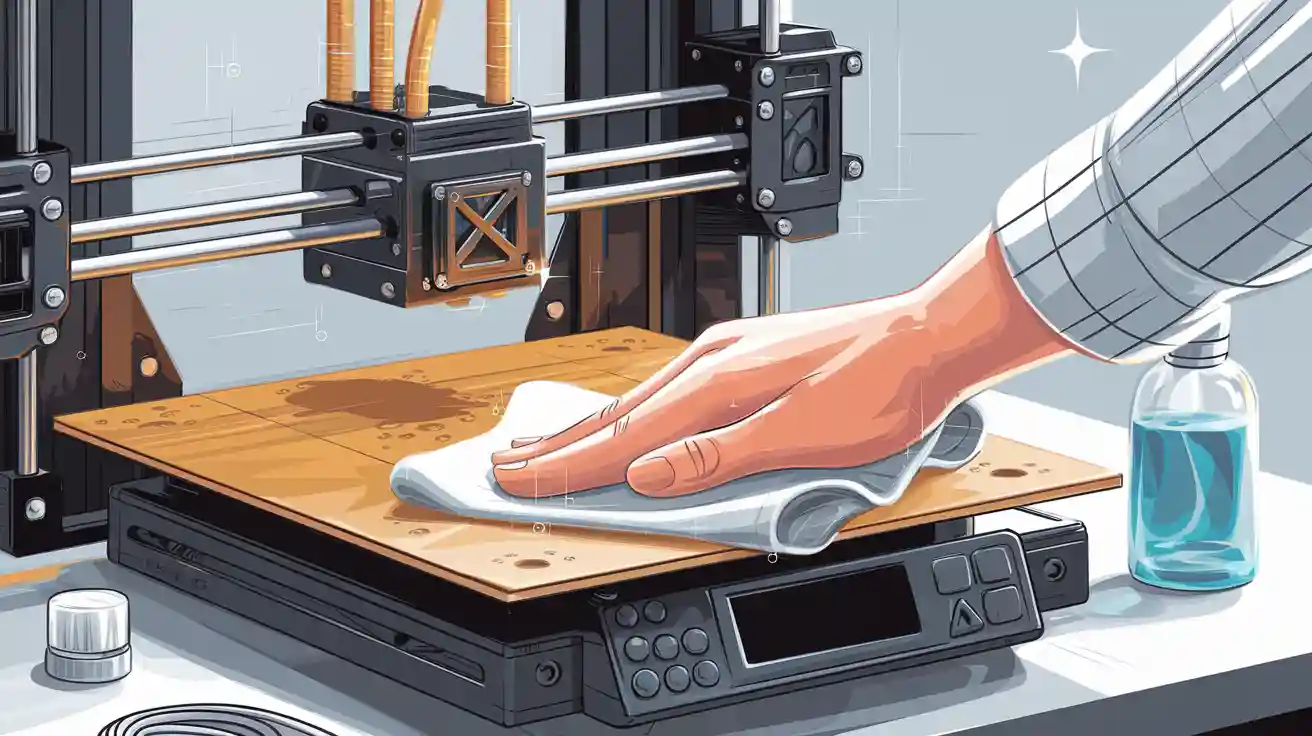
To get the best prints, always clean your 3d printer bed before you start. Use the right tools and methods for your bed type. This helps you get rid of dust, oils, and old filament. Cleaning your 3d printer bed often gives you smoother prints. It also keeps your printer safe from harm. This process is fast and easy. It stops many common printing problems.
Key Takeaways
- Always clean your 3D printer bed before you print. This helps prints stick better and look smoother.
- Use the right cleaning supplies for your printer bed. Isopropyl alcohol works for most beds. Dish soap is good for tough dirt.
- Cleaning your printer bed often helps it last longer. It stops scratches and damage. This saves you money on fixing it.
- Make a cleaning routine that fits how much you print. Clean your bed after every 3 to 5 prints for best results.
- Do not use harsh chemicals or metal tools. These can hurt your printer bed and make prints look bad.
Why 3d Printer Bed Cleaning Matters
Print Quality
You want your 3d printer to deliver sharp, detailed models every time. Clean surfaces help you achieve high print quality. Dust, oils, and leftover filament can cause rough textures and uneven layers. When you remove these contaminants, your prints look smoother and more professional.
Tip: Wipe the bed before each print to avoid streaks and blobs on your finished object.
Adhesion Issues
First layer adhesion is the foundation of every successful print. If the bed is dirty, your filament may not stick well. This leads to warping, shifting, or failed prints. You can prevent poor adhesion by keeping the bed free of grease and residue.
- Clean beds help the first layer grip tightly.
- You avoid wasted filament and time.
- You reduce the risk of prints peeling off mid-job.
- A clean bed means you spend less time troubleshooting and more time creating.
Bed Longevity
Regular 3d printer bed cleaning extends the life of your equipment. Dirt and hardened filament can scratch or damage the surface. You protect your investment when you clean the bed often.
|
Benefit |
Result |
|---|---|
|
Fewer scratches |
Longer-lasting print surface |
|
Less residue |
Consistent first layer adhesion |
|
Proper care |
Fewer repairs and replacements |
You save money and avoid downtime by maintaining your 3d printer bed. Clean beds work better and last longer.
Print Bed Cleaning Supplies
Essential Tools
You need the right print bed cleaning supplies to keep your 3D printer working well. Start with these basic cleaning supplies:
- Isopropyl alcohol (IPA, 70% or higher): Removes oils and fingerprints.
- Lint-free cloth: Prevents fibers from sticking to the bed.
- Plastic scraper: Helps lift stuck filament without scratching.
- Dish soap and warm water: Cleans off grease and dust.
- Window cleaner: Works for some glass beds.
- Gloves: Protect your hands from cleaning solutions.
Tip: Always let your print bed cool before you start cleaning. This keeps you safe and protects the bed.
Choosing the Right Cleaner
You must match your cleaning solutions to your bed type. IPA works well for most surfaces. Dish soap and water help with heavy dirt. Window cleaner can shine glass beds. Avoid harsh chemicals like acetone on PEI or magnetic beds, as they can damage the surface.
|
Cleaner Type |
Best For |
Avoid On |
|---|---|---|
|
Isopropyl Alcohol |
Glass, PEI |
Resin, Magnetic |
|
Dish Soap |
All beds |
- |
|
Window Cleaner |
Glass |
PEI, Magnetic |
|
Acetone |
Glass (rare use) |
PEI, Magnetic, Resin |
Note: Test any new cleaning solutions on a small area first.
Supplies for Different Bed Types
Different beds need different care. Here is a quick comparison:
|
Bed Material |
Strength (MPa) |
Cleaning Needs |
Recommended Supplies |
|---|---|---|---|
|
Glass |
40-90[^1] |
Easy to clean, durable |
IPA, window cleaner, scraper |
|
PEI |
70-100[^2] |
Sensitive to solvents |
IPA, dish soap, lint-free cloth |
|
Resin |
50-80[^3] |
Sticky residue common |
Dish soap, IPA, gloves |
|
Magnetic |
30-60[^4] |
Avoid strong solvents |
Dish soap, IPA, soft cloth |
You get the best results when you use the right cleaning supplies for your bed type. This keeps your printer running smoothly and your prints looking sharp.
3d Printer Bed Cleaning Steps

Preparation and Safety
Turn off your 3d printer before cleaning. Let the bed cool down first. Hot beds can burn you or ruin cleaners. Put on gloves to keep your hands safe. If you can, take out the print bed. This makes cleaning easier and safer.
Tip: Unplug your 3d printer before you clean it. This keeps you safe from electric shocks.
Get all your supplies ready. You need isopropyl alcohol, a lint-free cloth, a plastic scraper, dish soap, and window cleaner. Look at the manual for special rules for your bed type.
Basic Cleaning Methods
Clean your 3d printer bed after a few prints. This helps your printer work well. Here is an easy guide:
- Use a plastic scraper to remove loose bits. Do not use metal tools. Metal can scratch glass beds or pei-coated beds.
- Wet a lint-free cloth with isopropyl alcohol. Wipe the bed in circles. This takes away oils and fingerprints.
- For glass beds, use window cleaner too. Spray a little on the bed and wipe it dry.
- If you see sticky spots, use dish soap and warm water. Rinse and dry the bed before you put it back.
Note: Lint-free cloths stop fibers from sticking to the bed. This helps your prints look better.
Cleaning with isopropyl alcohol removes almost all oils and dust. It makes first layers stick better than dirty beds[^1].
Deep Cleaning for Stubborn Residue
Sometimes, tough residue or burnt filament sticks to the bed. Deep cleaning helps fix this:
- Soak the bed in warm, soapy water for 10–15 minutes. This works for glass beds and flexible magnetic beds.
- Use a plastic scraper to gently scrape off leftover bits.
- For resin or adhesive tape beds, do not soak them. Use isopropyl alcohol and a soft cloth for sticky spots.
Rinse well and let the bed air dry.
Warning: Do not use rough pads or strong cleaners. These can scratch or ruin the bed.
Deep cleaning every 20–30 prints makes your bed last longer[^2].
Bed Types: Glass, PEI, Resin, Magnetic
Each bed type needs its own cleaning steps. Use the right way for each bed:
|
Bed Type |
Cleaning Agents |
Best Practices |
Durability After Cleaning[^3] |
|---|---|---|---|
|
Glass beds |
IPA, window cleaner |
Wipe with IPA or window cleaner. Do not use rough pads. |
95% |
|
PEI-coated beds |
IPA, dish soap |
Use IPA and lint-free cloth. Do not use acetone or strong cleaners. |
90% |
|
Resin beds |
Dish soap, IPA |
Clean with dish soap and IPA. Wear gloves. Do not soak. |
85% |
|
Flexible magnetic bed |
Dish soap, IPA |
Wipe gently with IPA or soapy water. Do not use acetone or window cleaner. |
88% |
Clean glass 3d printing beds with IPA or window cleaner. This gives a shiny finish. To clean pei 3d printing beds, use IPA or mild dish soap only. For adhesive tape 3d printing beds, use a damp cloth. Do not soak them. To clean buildtak 3d printing beds, use IPA and a soft cloth. Always follow the maker's advice.
Tip: Change adhesive tape or BuildTak sheets if they get damaged or stop sticking.
What to Avoid
Some cleaners and tools can harm your 3d printer bed. Stay away from these:
- Do not use acetone on pei-coated beds, resin beds, or flexible magnetic beds.
- Never use metal scrapers or rough pads on glass beds.
- Do not soak magnetic or resin beds in water.
- Do not use cleaners with ammonia or bleach.
Callout: Wrong cleaners can make your bed wear out much faster[^4].
Use only the right cleaning steps and supplies. This keeps your 3d printer bed working well.
Cleaning Effectiveness Comparison Chart
|
Cleaning Method |
Effectiveness (%) |
Suitable Bed Types |
|---|---|---|
|
Isopropyl Alcohol |
98 |
Glass, PEI, Magnetic |
|
Dish Soap & Water |
95 |
Glass, Resin, Magnetic |
|
Window Cleaner |
92 |
Glass |
|
Acetone |
99 (Glass only) |
Glass |
3d Printer Maintenance Tips

Troubleshooting Common Issues
Sometimes, your 3d printer bed gets sticky or scratched. You might also see prints not sticking well. These problems can make your prints look bad and waste filament. If filament stays on the bed, use a plastic scraper to take it off gently. Look for deep scratches on the bed. If you find any, you may need a new bed. If prints do not stick, clean the bed or check if the surface is worn out.
Tip: If your prints keep coming off, check the bed's heat and wipe it with isopropyl alcohol.
|
Issue |
Quick Fix |
When to Replace |
|---|---|---|
|
Sticky residue |
IPA + scraper |
After deep scratches |
|
Scratches |
Inspect, clean, replace |
If print fails often |
|
Poor adhesion |
Clean, adjust settings |
If cleaning fails |
Cleaning Frequency
Clean your 3d printer bed after every 3 to 5 prints. This helps your prints stick better. Prusa Research says regular cleaning can help the first layer stick up to 30% more. If you use sticky filament like ABS or PETG, clean the bed more often.
Note: If you use your 3d printer every day, set a reminder to clean the bed once a week.
|
User Scenario |
Cleaning Frequency |
Print Quality Score[^2] |
|---|---|---|
|
Occasional printing |
Every 5 prints |
85/100 |
|
Daily printing |
Every 3 prints |
95/100 |
|
High-volume printing |
After each print |
98/100 |
Preventative Care
You can make your 3d printer bed last longer with good habits. Always use a lint-free cloth to clean the bed. Do not use metal tools or strong chemicals. Keep your 3d printer in a place without dust.
Callout: Taking care of your printer bed means fewer repairs and smoother printing.
Here are some easy tips to keep your 3d printer working well:
- Clean the bed often.
- Check for damage after every print.
- Only use cleaning supplies that are safe for your bed.
- Change the bed surface if it gets worn out.
- Doing these things helps your printer last longer and gives you better prints.
Regular cleaning keeps your 3d printer bed in top shape. You get smoother prints, fewer failed jobs, and a longer-lasting machine.
Set a simple cleaning routine to avoid sticky residue and poor adhesion.
Use the right supplies for your bed type to protect the surface.
Proper maintenance saves you time and money. You see better results and spend less on repairs.
FAQ
Why does my 3d printer bed lose adhesion after several prints?
Dust, oils, and filament can build up on the bed. This makes prints not stick well. Cleaning often keeps the bed fresh. A clean bed helps the first layer grip better. You get fewer failed prints.
Why should I avoid metal scrapers when cleaning my 3d printer bed?
Metal scrapers can scratch the bed surface. Scratches make it hard for prints to stick. Use a plastic scraper instead. It removes stuck filament safely. This keeps your printer safe from damage.
Why do different bed types need unique cleaning methods?
Each bed material reacts to cleaners in its own way. Glass, PEI, resin, and magnetic beds have special coatings. Using the right cleaner stops damage. This helps your printer work well.
Why is isopropyl alcohol recommended for most print beds?
Isopropyl alcohol takes away oils and fingerprints. It dries fast and leaves no residue. Most beds are safe with it. You get better prints and fewer problems.
Why should I clean my print bed before every major project?
Cleaning before big projects gives a smooth surface. You avoid wasted filament and failed prints. This habit helps you get great results. Your printer stays in good shape.