





Choosing the right 3D Printer Kit can change your business results. Your choice can affect how much you make and how good it is. Some 3D printers have trouble making the same thing every time, especially with many prints. You might see changes in how strong things are or how smooth they look. This can change how your products look and work. Think about your space, money, and what you want to print before you choose.
Key Takeaways
- Think about what you need before picking a 3D printer kit. Look at your projects, how much you want to print, and the print quality you want. This helps you choose the best one.
- Pick the right materials for your projects. Materials like PLA, ABS, and PETG are used for different things. They also change how your prints look and feel.
- Look at how much the printer can print and how fast it works. A printer that matches your work needs will help you finish on time. It can also help you get more done.
- Check how exact the printer is and what materials it can use. High precision is important for projects with lots of detail. If the printer uses many materials, you can do more types of projects.
- Learn about brands and their customer support. Good support and a strong warranty can help you save time and money later.
Assess Your Needs
Picking the right 3D Printer Kit means knowing what you need. Think about what your business or workshop does. Look at the projects you want to make. Think about how many things you will print. Check what materials you want to use. Decide how good you want your prints to look. Make sure you have enough space for the printer. All these things help you pick the best kit for your work.
Project Types
First, figure out what you will use your 3D printer for. People use 3D printers for many things, like:
- Pinhole cameras and camera arm mounts for creative jobs
- Equipment wall mounts and SD card boxes for keeping things neat
- Printing presses, stamps, and custom molds for making things
- Studio organizers, headphone stands, and cable winders for tidy workspaces
- Mitre boxes, paint tube squeezers, and bookholders for special tasks
- Amplifiers, drawing machines, and robot arms for cool projects
- Costumes and props for photos and movies
The kind of project you do changes what features you need. If you need strong parts, pick a kit that uses tough materials. If you want nice-looking models, look for kits that make smooth prints.
Tip: Think about where your printed things will go. If they will be outside or get hot, you need special materials.
Print Volume
Guess how many things you will print each week or month. Print volume changes how you work. If you print a lot, you need a printer that can handle many jobs. Some printers let you switch jobs fast and save money.
|
Factor |
Description |
|---|---|
|
Hybrid Workflow Flexibility |
Lets you change jobs for different print amounts quickly. |
|
Cost Efficiency |
Helps you spend less and finish jobs faster. |
|
Automation Impact |
Makes it cheaper and easier to set up jobs. |
- Print shops spend $6 on setup for every $1 on printing.
- Using automation can make your work over 30% faster.
- If you want to print more in the future, get a kit that can print many things at once.
Material Options
Picking the right material is important for your projects. Some common 3D printing materials are PLA, ABS, PETG, nylon, TPU, PVA, HIPS, composites, and photopolymer resins. Each one is good for different jobs.
|
Material Type |
Common Applications |
|---|---|
|
PLA |
Non-industrial use |
|
Nylon |
Industrial applications |
|
ABS |
FDM 3D printing |
|
PETG |
FDM 3D printing |
|
TPU |
FDM and SLS 3D printing |
|
PVA |
FDM 3D printing |
|
HIPS |
FDM 3D printing |
|
Composites |
FDM 3D printing |
|
Photopolymer Resins |
DLP 3D printing |
|
Nylon PA 12 |
Multi Jet Fusion (MJF) |
Here is a quick look at three popular materials:
|
Material |
Advantages |
Limitations |
|---|---|---|
|
PLA |
Easy to use, good prints, biodegradable |
Not very strong, melts with heat |
|
ABS |
Strong, heat resistant, easy to finish |
Smells bad, can warp, hard to stick |
|
PETG |
Sticks well, tough, safe for food |
Can string, prints slower |
Pick a material that works for your project and where it will be used.
Print Quality
Good results mean meeting certain standards. Pick a 3D Printer Kit that works with the files and checks you need. Important standards are:
- Design rules for making 3D models (STL, AMF)
- Material rules for filament or resin
- Process rules for FDM, SLA, or SLS
- Rules for finishing and making prints look better
- Checks to make sure parts are made right
Different printers make prints with different detail and accuracy:
|
Technology |
Resolution Range (microns) |
Accuracy Comparison |
|---|---|---|
|
FDM |
50 to 200 |
Not as accurate as resin |
|
SLA |
25 to 35 |
More accurate, smoother prints |
|
MJF |
N/A |
Very accurate, costs more |
|
PolyJet |
N/A |
Super precise, expensive |
If you need tiny details and smooth prints, try SLA or PolyJet. For simple models, FDM is usually enough.
Space Requirements
- Check your workspace before you buy a 3D Printer Kit. The printer's size and setup matter for safety and how you work.
- A resin DLP printer needs about four feet square of space.
- A small setup fits in a two-foot by two-foot area.
- Big spaces let you use bigger printers or more than one.
- Small spaces need smaller, easy-to-move printers.
- Your desk or table must hold the printer's weight and size, especially if you use more than one.
- Note: Make sure you have good airflow and can reach your printer for cleaning and changing materials.
By thinking about your projects, how much you print, what materials you use, print quality, and space, you can pick a 3D Printer Kit that helps your business or workshop grow.
3D Printer Kit Features
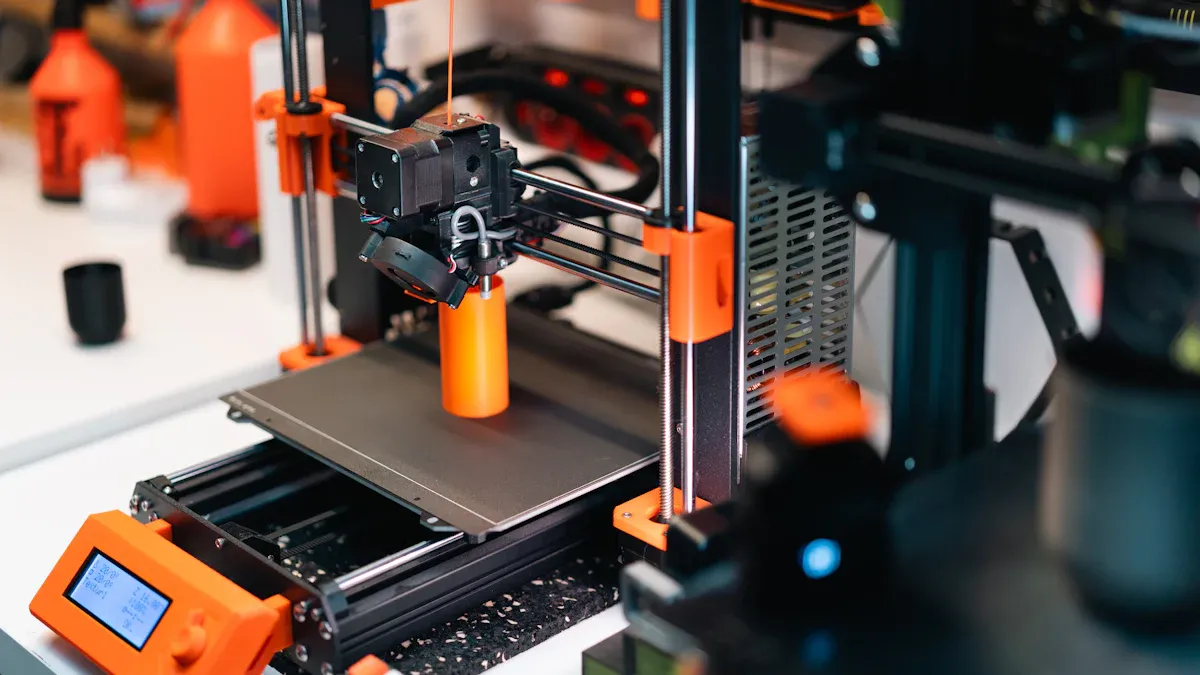
When you look at 3D printer kits, check the features that matter most for your work. Each feature can change how well the printer fits your needs. It also affects how much you can make and how easy it is to use.
Build Size
Build size shows how big your printed things can be. Bigger build volume lets you print larger parts or more items at once. This saves time and helps you do bigger projects. Here is a table with some popular models:
|
Printer Model |
Build Volume (mm) |
Price |
|---|---|---|
|
Modix BIG-40 |
400 × 400 × 800 |
$5,000 |
|
Raise3D Pro2 Plus |
305 × 305 × 605 |
$5,999 |
|
BigRep – STUDIO G2 |
500 × 1000 × 500 |
$60,000 |
|
White Knight: DIY Conveyor |
Unlimited Z-Axis |
N/A |
If you need to print long things, like pipes, a printer with unlimited Z-axis, such as the White Knight, can help. For most jobs, a build volume of 300 × 300 × 600 mm is enough. Always pick a build size that matches your main job.
Tip: Bigger build size means a larger machine. Make sure your space is big enough.
Print Speed
Print speed tells you how fast you finish jobs. Faster printers help you meet deadlines and do more work. For example, a marketing firm finished jobs twice as fast after getting faster printers. They went from 30 to 80 pages per minute. This helped them serve more clients and make more money.
High print speed helps you:
- Finish projects quickly
- Make more things each day
- Take urgent orders
- But printing faster can lower the quality. You need to balance speed and detail.
Supported Materials
The materials your 3D printer kit uses decide what projects you can do. Many kits now work with lots of filaments and resins. Some models, like the Workhorse and Pulse XE, use strong steel nozzles. This lets you print with tough or rough materials, such as:
- Nylon (strong and bends)
- Composites (wood, metal, sand fillers)
- Exotic filaments (for special looks or strength)
- Material choices give you more ways to do different jobs. For example:
- Printing with more than one material lets you mix strength and flexibility.
- New software features let you use materials together that did not work before.
Note: Always check the printer's material guide to stop jams or bad prints.
Precision
Precision means how close your prints are to your designs. High precision matters for models and parts that must fit together. Here is a table showing what you can expect from different technologies:
|
Technology Type |
Precision Level |
Example Printer |
|---|---|---|
|
Stereolithography (SLA) |
Most accurate |
Formlabs Form 2 |
|
Fused Filament Fabrication (FFF) |
High precision, less complex |
Zortrax M300, Ultimaker 3 |
Some printers, like the Sovol Zero, use auto-leveling and vibration control. These features help you get good results, even when printing fast. You should also think about:
- Smallest detail size
- Support structures for tricky shapes
- Material strength and finish
- Extra steps for smoothness and fit
If you want tiny details, pick SLA or PolyJet printers. For strong parts, SLS or FDM printers are good.
Setup and Use
A 3D printer kit should be easy to put together and use. Most kits have clear instructions and labeled parts. Many people finish setup in less than an hour. Features like snap-fit joints and modular parts make it faster.
- Quick setup means you start printing sooner.
- Simple assembly lowers mistakes and saves time.
Easy-to-use kits help more workshops use 3D printing. The number of workshops using 3D printing grew from 30% in 2017 to 57% in 2021. Simple kits help you train workers fast and keep things running smoothly.
Software
Software controls every step of 3D printing. You need three main types:
|
Software Type |
Purpose |
|---|---|
|
CAD Software |
Make or change 3D models |
|
Slicing Software |
Get models ready for printing with G-code |
|
Remote Operation Software |
Control printers from far away (optional) |
Software compatibility is important. It lets you use cool printer features, like dual extruders or auto bed leveling. Good software helps you:
- Make G-code that fits your printer
- Change settings for better prints
- Save time with presets and automation
Tip: Pick a 3D printer kit that works with popular software for easier setup.
Support and Warranty
Good support and a strong warranty protect your money. Top brands offer:
|
Manufacturer |
Warranty Duration |
Support Options |
Training Offered |
|---|---|---|---|
|
Fusion3 |
2 Years |
Free lifetime phone & email support |
Free live, online training classes |
|
3D Systems |
Varies by plan |
Unlimited phone/email, priority onsite |
Basic onsite operator training |
A good warranty lowers repair costs and helps you worry less. Some companies offer extra service plans with regular checkups and fast help. This keeps your printer working and stops expensive problems.
- Full warranties save money over time.
- Short warranties may mean higher repair costs.
- Local sellers can make warranty service faster.
Note: Always check what support and training come with your 3D printer kit before you buy.
Cost Considerations
When you plan to buy a 3D Printer Kit for your business or workshop, you need to look at more than just the price tag. You should think about the total cost, including materials, upkeep, and future upgrades. Smart budgeting helps you get the best value and avoid surprises.
Initial Price
The first thing you notice is the price of the printer itself. Business-ready 3D printers come in a wide range of prices. Here is a quick look at average costs:
|
3D printer category |
Average price |
|---|---|
|
Professional 3D printers |
$3,000 - $10,000 |
|
Industrial 3D printer price |
$10,000+ |
You should pick a model that fits your needs and budget. Sometimes, paying more at the start gives you better features and longer life.
Material Costs
Material costs can add up fast. The type of printer you choose decides what materials you use and how much you spend. Here is a table to help you compare:
|
3D Printer Type |
Price Range |
Material Costs |
Maintenance Costs |
|---|---|---|---|
|
FDM |
$200 - $10,000+ |
$20 - $50/kg (Filament) |
$20 - $200 |
|
SLA |
$500 - $25,000+ |
$50 - $200/liter (Resin) |
$50 - $200 |
|
SLS |
$10,000 - $1,000,000+ |
$50 - $150/kg (Nylon) |
High |
|
DLP |
$500 - $15,000+ |
$50 - $200/liter (Resin) |
$20 - $100/month |
|
MJF |
$20,000 - $500,000+ |
N/A |
N/A |
|
DMLS |
$150,000 - $1,500,000+ |
$500 - $2,000/kg (Metal powders) |
$10,000 - $50,000 annually |
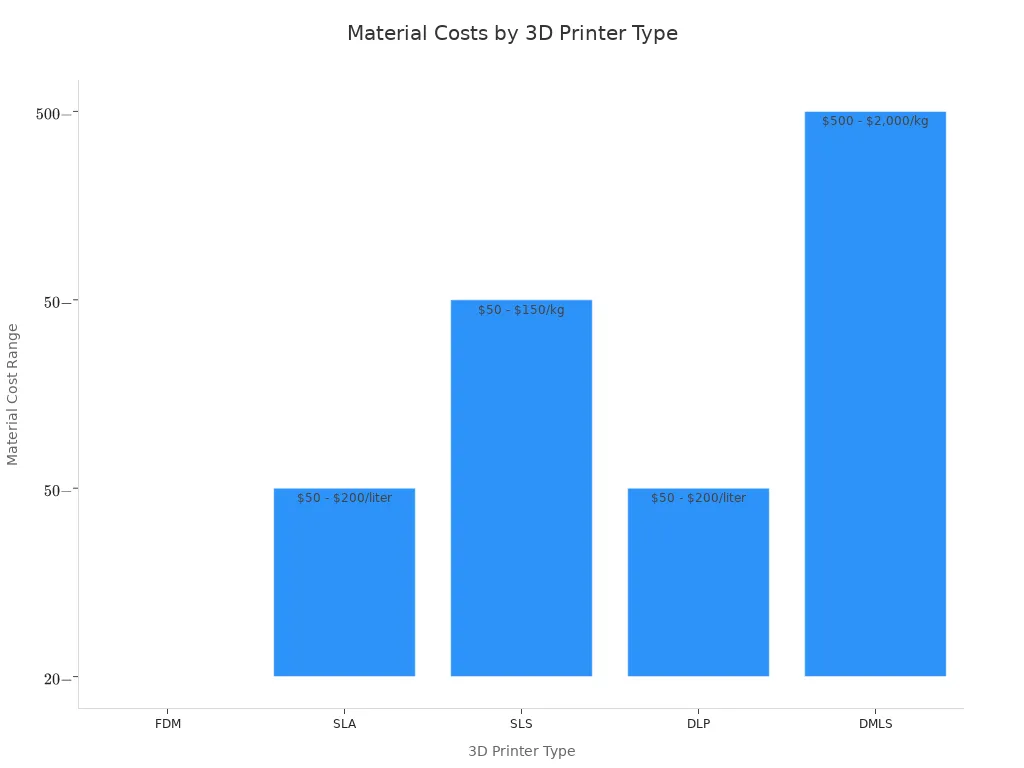
Tip: FDM printers use cheaper materials, which helps lower your running costs. SLA and DLP printers use resins that cost more but give higher detail.
Maintenance
Keeping your printer running well costs money each year. You pay for materials, energy, skilled workers, and software. You also need to think about post-processing, like polishing or coating parts. These steps can raise your yearly costs. Plan for regular upkeep to avoid big repairs and keep your prints looking good.
Upgrade Options
You can make your printer last longer and do more by choosing one with upgrade options. Look for these features:
- Future upgrades, such as better extruders or new features
- Compatibility with third-party accessories
- Modular design for easy changes and improvements
Note: Investing in a printer that you can upgrade saves money over time. You can add new tools or features as your business grows.
By thinking about all these costs, you make a smart choice that helps your business succeed now and in the future.
Compare and Decide
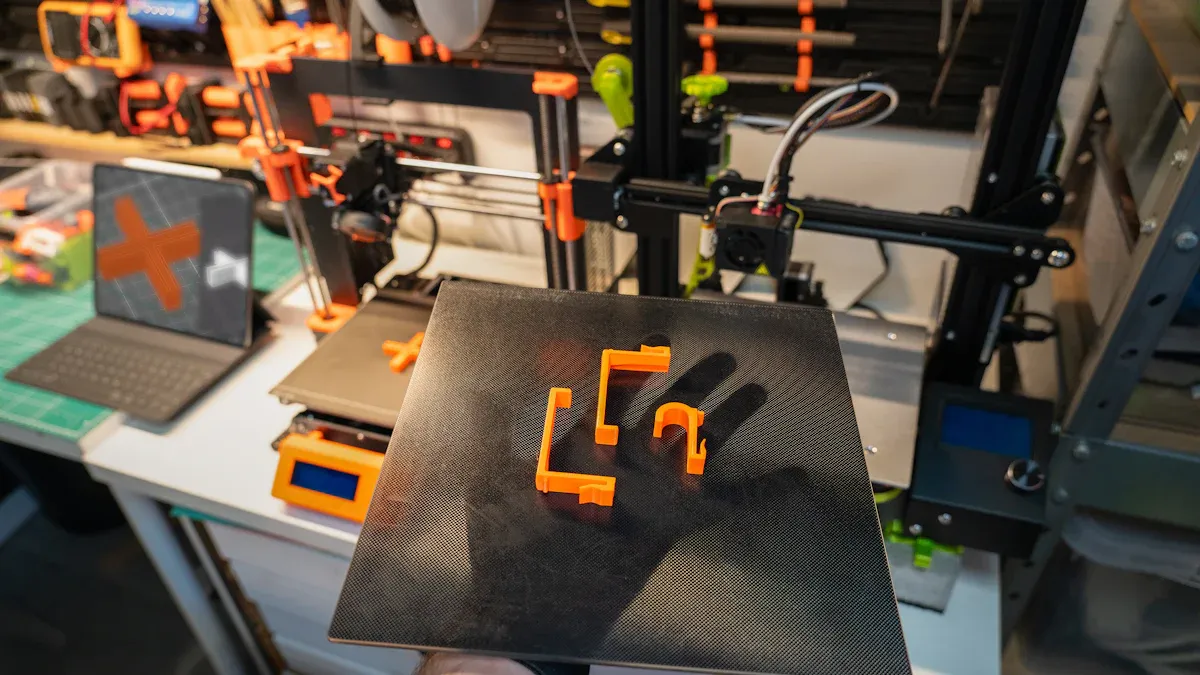
Research Brands
You need to look at different brands before you buy. Each brand offers unique features and support. Some brands focus on easy setup. Others give you more advanced options. Use the table below to compare popular choices:
|
Brand |
Notable Model |
Build Size (mm) |
Price Range |
Main Strength |
|---|---|---|---|---|
|
Prusa |
i3 MK4 |
250×210×220 |
$800-$1,200 |
Reliable, easy to use |
|
Creality |
Ender 3 S1 Pro |
220×220×270 |
$400-$600 |
Affordable, upgradable |
|
Ultimaker |
S3 |
230×190×200 |
$4,000-$5,000 |
High precision |
|
Raise3D |
Pro2 |
305×305×300 |
$3,500-$6,000 |
Large build volume |
Tip: Read reviews from business users. Look for feedback on print quality and reliability.
Customer Support
Strong customer support helps you solve problems fast. You should check if the brand offers live chat, phone help, or email support. Some brands provide training or online guides. Fast support keeps your 3D Printer Kit running and reduces downtime.
- Prusa and Ultimaker offer 24/7 online help.
- Raise3D provides video tutorials and live support.
- Creality has a large online help center.
Community Resources
A strong user community gives you extra help. You can find answers, tips, and upgrades from other users. Many brands have forums, social media groups, and video guides. These resources help you fix issues and learn new skills.
- Prusa and Creality have active forums.
- Ultimaker users share print profiles and settings.
- Raise3D has a global user group.
Real-World Examples
You can learn from other businesses. For example, a design studio used a Prusa i3 MK4 to make custom parts for clients. They cut project time by 40%. A school used the Ender 3 S1 Pro for student projects. They printed over 100 models in one semester with few issues. These stories show how the right 3D Printer Kit supports different needs.
Final Checklist
Before you decide, use this checklist:
- Does the printer fit your space?
- Can it handle your main materials?
- Is the build size right for your projects?
- Does the brand offer strong support?
- Are there active user communities?
- Does the price fit your budget?
- Can you upgrade the printer in the future?
Note: A careful comparison helps you pick the best 3D Printer Kit for your business or workshop.
You now have a clear process for choosing the right 3D Printer Kit. Review your needs, compare features, and check costs. Use the checklist to match the printer to your business goals. When you follow these steps, you make a smart investment. Take action today and select a printer that helps your business grow.
FAQ
Why should you choose a 3D printer kit over a pre-assembled printer?
A kit lets you change and upgrade your printer. When you build it, you learn how each part works. This helps you fix problems faster. You can keep your business or workshop running with less waiting.
Why does build volume matter for your business?
Build volume tells you how big your prints can be. Bigger build volume means you can make larger things. You can also print more parts at the same time. This helps you finish more projects and work on different jobs.
Why is material compatibility important when selecting a 3D printer kit?
Material compatibility shows what things you can make. Some jobs need strong or bendy materials. Others need to handle heat. If your kit works with many materials, you can do more projects. You can also help more customers.
Why should you consider customer support and warranty before buying?
Good customer support and a strong warranty protect your money. You get help fast if something breaks. This means less time waiting for repairs. Your business keeps working and you spend less on fixing things.
Why do upgrade options add value to your 3D printer kit?
Upgrade options let your printer get better as you grow. You can add new parts or features later. This saves you money because you do not need a new printer. Your machine stays useful for a long time.