





3D Printer Supplies: Essential Materials and Accessories for Reliable Printing
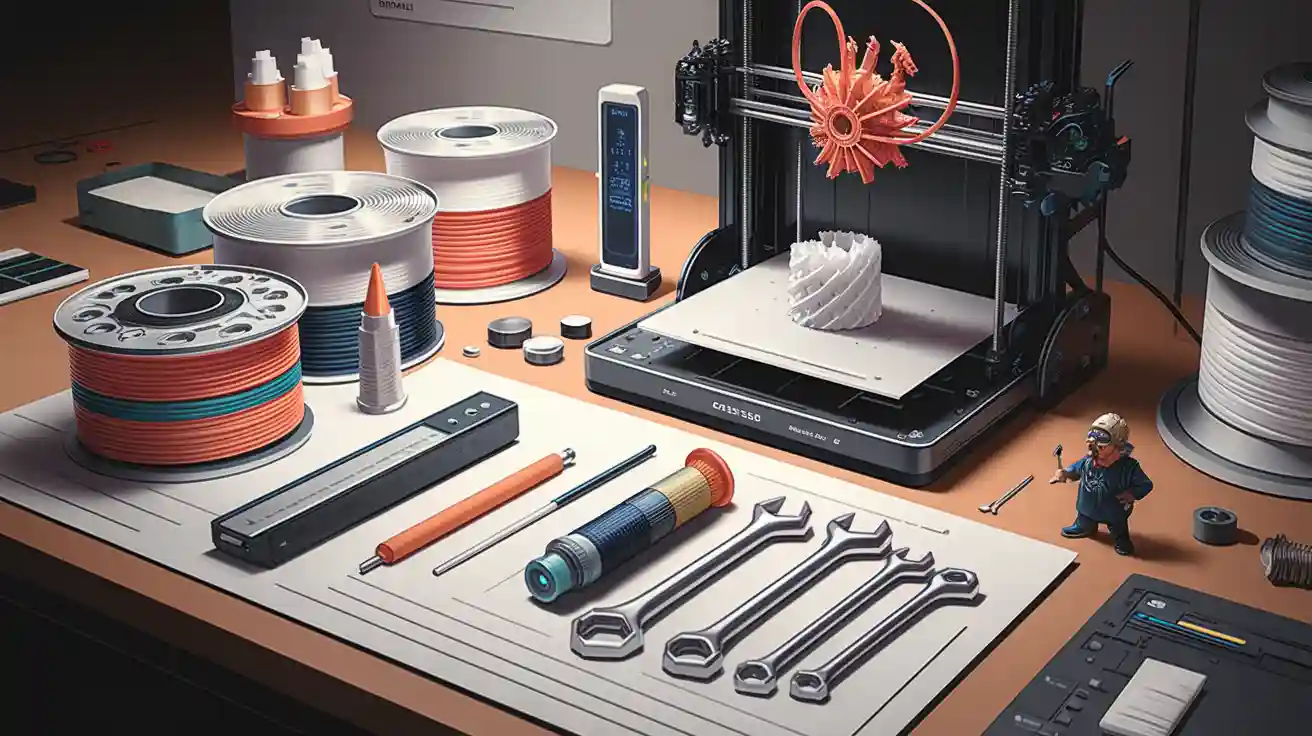
Choosing the right 3D Printer Supplies helps you get better prints, save money, and keep your business working well. You can stop wasting time and materials by picking supplies that fit your project. For example:
Industrial printers made up 76% of the world market in 2023.
Metal and plastic materials are popular because they work well and cost less.
The 3D printing materials market is growing fast because more people want polymers and metals.
The right supplies help you work faster and get good results every time.
Key Takeaways
- Picking the right 3D printer supplies helps your prints look better and saves you money. Choose materials that match what your project needs.
- Learn about the different kinds of filaments and resins. Each one has special features that change how strong, bendy, or successful your print will be.
- Take care of your printer and supplies often to stop problems. Clean the nozzles, set up the axes, and look for worn parts to keep things working well.
- Keep your materials in airtight containers so they do not get wet. This keeps your prints looking good and stops waste.
- Buy certified materials if you use them for business. These materials follow industry rules and make your prints more reliable.
Essential 3D Printer Supplies
Image Source: unsplash
Picking the right 3D Printer Supplies helps your prints work well. There are three main groups: filaments, resins, and specialty materials. Each group is good for different jobs and has its own benefits for work and business.
Tip: The right material can help you print better, save money, and avoid delays.
Filament Types
Filaments are the most used 3D Printer Supplies for FDM printers. You can pick from many kinds. Each one has different strength, price, and how easy it is to print. The table below shows how popular filament types compare:
|
Filament Type |
Tensile Strength |
Flexural Modulus |
Print Temp (°C) |
Bed Temp (°C) |
Cost |
Durability |
Print Success Rate |
|---|---|---|---|---|---|---|---|
|
PLA |
65 MPa |
3.5 GPa |
190-220 |
20-60 |
Low |
Moderate |
High |
|
ABS |
40 MPa |
1.6-2.4 GPa |
220-250 |
95-110 |
Moderate |
High |
Moderate |
|
PETG |
53 MPa |
2.2 GPa |
230-250 |
75-90 |
Moderate |
High |
High |
|
Nylon (PA 6) |
40-85 MPa |
0.8-2 GPa |
225-265 |
70-90 |
High |
Very High |
Moderate |
|
Carbon Fiber-Filled |
46 MPa |
5.26 GPa |
220-240 |
100-110 |
High |
Very High |
Moderate |
|
Polycarbonate (PC) |
72 MPa |
2.2-2.5 GPa |
260-310 |
80-120 |
High |
Very High |
Moderate |
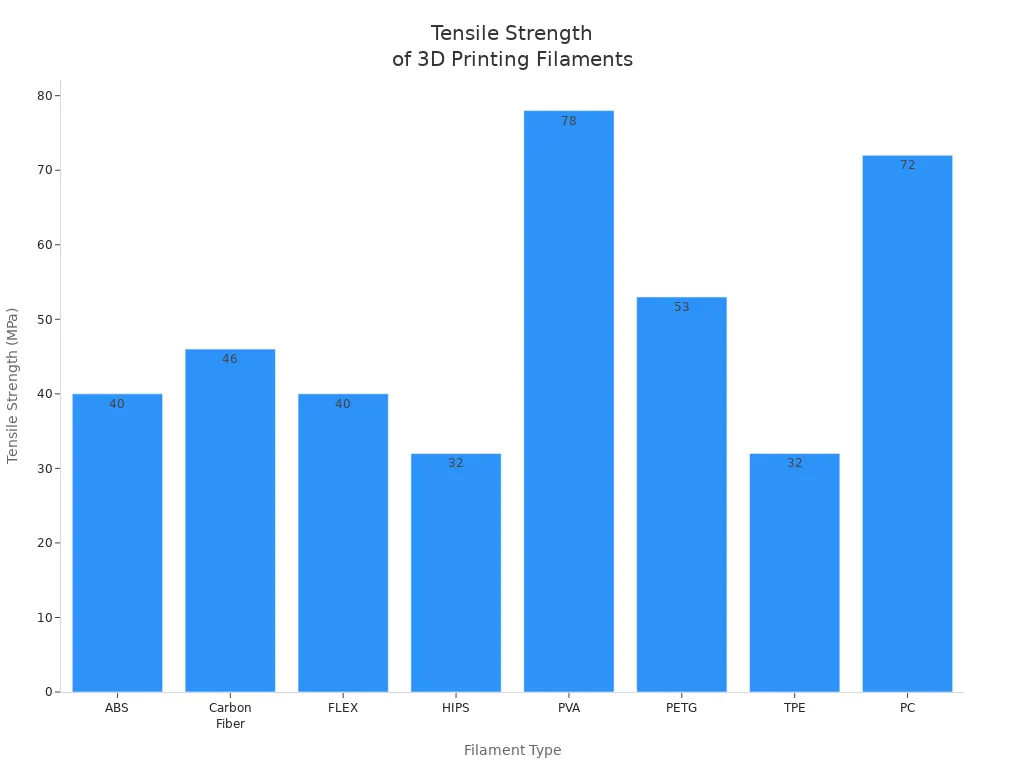
PLA is cheap and easy to use. It is great for models and learning.
ABS and PETG are stronger and handle heat better. They are good for real parts.
Nylon and carbon fiber-filled filaments are strong and bendy. They are used for tough jobs.
Polycarbonate is best when you need something that can take a hit and heat.
For business, certified filaments help you follow rules. This is important for cars and planes.
Resin Types
Resins are important 3D Printer Supplies for SLA, DLP, and LCD printers. They make prints with smooth surfaces and fine details. People use them for teeth, jewelry, and test parts.
|
Resin Type |
Key Performance Characteristics |
Main Applications |
Safety & Curing Notes |
|---|---|---|---|
|
Standard Resin |
Good detail, moderate strength |
Prototypes, models |
Requires gloves, ventilated area |
|
Tough Resin |
High impact resistance, flexibility |
Functional parts, snap-fits |
Similar safety as standard resin |
|
Engineering Resin |
High tensile strength, heat resistance |
End-use parts, tooling |
May require longer curing |
|
Rigid/Ceramic-Filled |
High stiffness, dimensional stability |
Metrology fixtures, housings |
Low shrinkage, chemical resistance |
|
PMMA-Like |
Optical clarity, durability |
Light guides, signage |
Resistant to yellowing |
|
Nylon-Like |
Toughness, improved fatigue resistance |
Living hinges, snap-fits |
Flexible, good layer bonding |
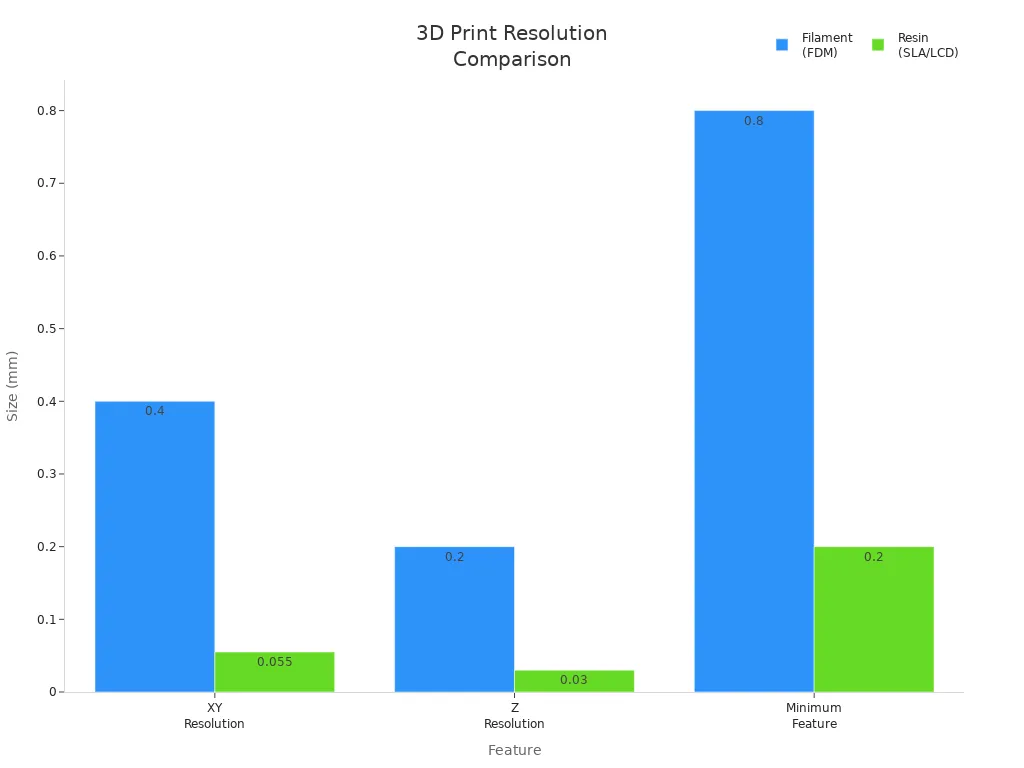
Standard resin is good for small details but not strong.
Tough and engineering resins are better for strong parts.
Rigid and PMMA-like resins are best when you need clear or stable prints.
Some resins, like polyurethane and polypropylene, are safer and smell less. Always wear gloves and keep air moving when using resins.
Curing times are different:
UV resin: 5-10 minutes
Polyester resin: 12 hours
Silicone resin: 24 hours
Epoxy resin: 72 hours
Tests show FDM parts last longer outside. Resin parts can break and change color if left in the sun.
Specialty Materials
Specialty 3D Printer Supplies let you do more advanced things. These materials are used for electronics, robots, and medical tools.
|
Material Type |
Unique Properties |
Applications |
Cost Impact |
Complexity Impact |
|---|---|---|---|---|
|
Conductive Filaments |
Electrical conductivity, FDM compatible |
Circuits, sensors |
Moderate |
Requires careful handling |
|
Magnetic Materials |
Customizable magnetic strength |
Custom magnets, sensors |
Moderate |
Needs precise calibration |
|
Shape Memory Polymers |
Programmable shape transformation |
Soft robotics, biomedical implants |
High |
Advanced print settings needed |
|
Self-Healing Materials |
Autonomous damage repair |
Durable parts in harsh environments |
High |
May need post-processing |
|
Titanium, Inconel, Alloys |
High strength, corrosion resistance |
Aerospace, medical, industrial parts |
High |
Longer print times, more support |
Titanium and nickel-based alloys are very strong and do not rust. They cost more and are harder to use.
Shape memory and self-healing polymers help parts last longer and need less fixing.
Material Selection Tips
To pick the best 3D Printer Supplies for your work, use these steps:
Know your project needs. Think about strength, bendiness, heat, or see-through parts.
Check the properties. Look at strength and how much it can stretch or take a hit.
See if it works with your printer. Make sure your printer can use the material.
Think about cost and supply. Check price, how easy it is to get, and delivery time.
Plan for finishing. Some materials need sanding or painting after printing.
Check for certification. For some jobs, you need materials that meet certain rules.
Pick a good supplier. A steady supplier means less waiting and fewer problems.
Certification and a steady supply are important for business. They make sure your 3D Printer Supplies meet rules and are always ready.
|
Category |
Description |
|---|---|
|
Printer Types |
SLA, FDM, DLP, SLS-each works in a special way and is used for different jobs. |
|
Printing Materials |
Plastics, resins, metals-needed for many kinds of projects. |
|
Necessary Accessories |
Storage, glue, build plates, fans, calipers, and tools-these help your printer work well. |
If you follow these tips, you can save money, fix less, and get great prints every time.
Must-Have Accessories and Tools
Picking the right accessories and tools for your 3D Printer Supplies helps you get good prints. You can make your printer last longer and spend less on repairs. High-quality upgrades help your printer work better and break down less.
Build Surface Aids
Build surface aids help your prints stick to the bed. This stops prints from failing and helps the first layer stay in place.
PEI sheets stick well to hot filaments. They last a long time and work with ABS, PETG, and Nylon.
BuildTak has a rough surface for better grip. It works with many filament types and does not wear out fast.
Skirts, brims, rafts make the print stick better and stop warping. Use these for big or tricky prints.
Adhesion aids like glue sticks and sprays help the first layer bond, especially on glass beds.
|
Surface Aid |
Durability |
Compatibility |
Cost (USD) |
Performance Benefit |
|---|---|---|---|---|
|
PEI Sheet |
High |
ABS, PETG, Nylon |
$15-$30 |
Excellent adhesion |
|
BuildTak |
Moderate |
PLA, ABS, PETG |
$10-$25 |
Good adhesion |
|
Glue Stick |
Low |
All filaments |
<$5 |
Easy application |
Tip: Extra build plates let you change materials fast and do different jobs.
Maintenance Tools
Taking care of your printer keeps it working well. You need these tools to clean, fix, and check your printer.
Hex wrenches and screwdrivers help you tighten and put together parts.
PTFE lubricants make moving parts slide easier.
Cleaning rods, microfiber cloths, and isopropyl alcohol clean nozzles and beds.
Canned air blows dust out of small spaces.
Brass wire brush cleans metal parts.
Replacement nozzles and belts let you swap old parts before they break.
Multimeter checks wires and connections.
Spare fans and fuses help you fix problems fast.
Locking pliers and tweezers help you pull out stuck filament safely.
Using these tools often means fewer repairs and a longer-lasting printer.
Hardware and Upgrade Kits
Upgrades and new parts make your printer work better and last longer.
Nuts, bolts, washers, heat-set inserts, magnets, and bearings help you fix things and keep parts working together.
Hardened steel nozzles and strong bearings last longer and do not wear out quickly.
Better print beds, belts, and cooling systems make prints look nicer and stop breakdowns.
|
Component |
Lifespan |
Maintenance Risk |
Cost (USD) |
Compatibility |
|---|---|---|---|---|
|
Hardened Nozzle |
500+ hours |
Low |
$10-$20 |
Universal |
|
Steel Bearings |
1000+ hours |
Low |
$5-$15 |
Universal |
|
Upgraded Bed |
2+ years |
Very Low |
$30-$60 |
Model-specific |
Buying good upgrades once helps your printer work better for a long time.
Storage Solutions
Storing your 3D Printer Supplies the right way keeps them safe and ready to use.
Airtight containers keep water out.
Desiccants soak up moisture for filaments like Nylon and PETG.
Filament dryers fix wet filament.
Humidity monitors help you keep air dry.
Cool, dark places stop heat and light from hurting supplies.
Storing supplies well keeps prints looking good and stops waste, which helps people who store lots of materials.
Maintaining 3D Printer Supplies
Storage and Handling
Storing and handling materials the right way keeps prints looking good. It also helps you waste less. Always put filaments and resins in a dry room. The temperature should not change much. If filaments get wet, prints can look bad. Wet filament can block the nozzle. Use airtight boxes with desiccant packs for filaments. This is extra important for PLA, PETG, and Nylon. Filament dryers and special boxes keep materials ready to use.
|
Best Practice |
Description |
|---|---|
|
Control the storage conditions |
Keep humidity under 50%. Keep temperature between 59° and 77°F. |
|
First in, first out (FIFO) |
Use old materials first. This stops waste and keeps things fresh. |
|
Consider the container |
Store materials in sealed bins. Label each one so you know what it is. |
|
Store in a secure location |
Put supplies in a safe spot. This keeps them clean and stops damage. |
Tip: Storing supplies well makes them last longer. It also helps you avoid problems that cost money.
Maintenance Routines
Doing regular maintenance keeps your printer and tools working well. Clean your printer often to get rid of dust. Check the X, Y, and Z axes so they stay lined up. Lubricate moving parts so they move smoothly and do not wear out.
Clean the nozzle and extruder so material flows well.
Calibrate axes to stop print mistakes.
Update software and firmware to help your printer work better.
Check belts, fans, and bearings for damage. Replace old parts before they break. This keeps your work going without stops.
Keeping up with maintenance saves money on repairs. It also helps you get more out of your printer.
Troubleshooting Issues
Sometimes you will have problems with your 3D printing supplies. Fixing problems quickly helps you keep printing and saves time.
|
Issue Type |
Description |
Possible Solutions |
|---|---|---|
|
Under Extrusion |
Not enough material comes out. Prints have gaps. |
Clean the nozzle. Make the feed tighter. Change the temperature. |
|
Over Extrusion |
Too much material comes out. Prints look messy. |
Lower the temperature. Check filament size. Change the flow. |
|
Layer Shifting |
Layers do not line up right. |
Calibrate the printer. Check the belt tension. |
|
Clogged Extruder |
Filament gets stuck. No material comes out. |
Clean the extruder. Look for things blocking it. |
|
Curling/Peeling |
Corners lift or peel off the bed. |
Make the bed stickier. Change the temperature. |
Note: Fixing problems fast keeps your projects moving. It also helps you use less material.
Choosing Supplies for Business
B2B Considerations
When picking 3D printer supplies for your business, you should look for things that make work faster and more reliable. You want supplies that match your project needs and help your work go smoothly.
Think about how big your prints can be.
Check how detailed and fast your printer can print.
Make sure the printer is easy to use and works with your software.
Look at how much care and fixing the printer needs.
See what materials the printer can use.
Pick the right printer type and technology for your job.
Good customer support and a helpful community are important.
Make sure it is easy to connect your printer to other devices.
You also need to pick suppliers who are reliable, have certifications, and deliver fast. These things help you avoid stopping work and keep your projects moving.
3D printing lets you make custom products for your customers. This helps you find new ways to sell things.
You use less material and waste, which is better for the environment.
You need suppliers who check and promise their products are good.
ROI and Efficiency
You want your money spent on 3D printer supplies to help you save and earn more, fast.
Airbus said they wasted 85% less material than with old ways of making things. This shows 3D printing saves money and works better.
3D printing helps you react quickly when things change and lowers the need for workers. You can get your money back fast, especially if you print things yourself. For example, an UltiMaker S7 pays for itself after 42 prints. Printing at your place costs about $10 each, but sending it out can cost $200.
You can use spreadsheets to watch your spending and savings.
Stories from other companies show they saved $94 for each part and got over 40% back in the first year.
|
Factor |
Impact on Business Outcomes |
|---|---|
|
Cost |
Makes things cheaper by making them close by and using better supply chains. |
|
Delivery Speed |
Makes products and samples faster, so you can react quickly. |
|
Supplier Reliability |
Gives you steady quality and helps your work stay on track. |
Product Comparisons
You need to look at clear numbers when you compare 3D printer supplies.
|
Metric |
Description |
|---|---|
|
Dimensional Accuracy |
Checks if the printed part is the right size. |
|
Surface Roughness |
Changes how the part looks and works. |
|
Layer Resolution |
Affects how much detail and smoothness you get. |
|
Positional Error |
Shows how well the printer moves. |
|
System Build Volume |
Tells you the biggest thing you can print. |
|
System Cost |
Adds up all the money for the printer and supplies. |
|
System Size |
Tells you how big the printer is. |
|
System Weight |
Shows if the printer is easy to move. |
|
Dimensional Deviations |
Tracks mistakes in the print size. |
Application Scenarios
You use 3D printer supplies in lots of different jobs.
|
Application Area |
Technology Used |
Materials |
Performance Characteristics |
|---|---|---|---|
|
Medical Devices |
FDM |
Polylactide, Polycaprolactone |
Safe for the body, breaks down, can carry medicine |
|
Prototyping |
FDM |
ABS |
Good for testing ideas and saves money |
|
Surgical Guides |
SLA |
Resins |
Very exact for use in medicine |
Clear aligners and dental crowns are made with 3D printing for a perfect fit and quick making.
You can make body models for practice and planning.
You can build test models for electronics and buildings.
Picking the right 3D printer supplies helps you spend less, make better things, and reach your business goals.
You need reliable 3D printer supplies and accessories for good prints. When you set up your printer right, it works better. A steady print surface helps your prints stick well. Safety gear keeps you safe while you work. These things help you avoid problems and save money on repairs. If you buy all the right supplies, printing costs less. Your business can grow for a long time.
Quick Checklist for Supplies:
Clean the print bed so prints stick better.
Look at the nozzle to see if it is blocked or broken.
Check if the filament is dry and not cracked.
Pick suppliers you can trust. Good support and help after you buy are important. This helps you get more value and keeps your printing running smoothly.
FAQ
What are the most important 3D printer supplies for reliable printing?
You need good filaments or resins, build surface aids, and tools for maintenance. These supplies help you make strong prints. They also help your printer work well and stop it from breaking down.
Why should you invest in certified 3D printer materials?
Certified materials follow industry rules. They help you avoid bad prints and keep things safe. Your business can earn trust and meet legal rules for some jobs.
How do you store 3D printer supplies to prevent damage?
Put filaments and resins in airtight boxes with desiccants. Keep them in a cool, dry spot. This keeps water out and helps your prints look good.
Why do regular maintenance routines matter for 3D printers?
Regular maintenance stops your printer from breaking. It helps your printer last longer and work better. You will not have as many surprises or repairs.
What accessories help improve print quality and reduce waste?
Use build surface aids, cleaning tools, and better hardware. These help prints stick, keep your printer clean, and make parts last longer. You save money and get better prints.