





A 3d printer cannot make floating layers. Every layer of a 3d object needs something solid under it. Gravity pulls hot resin or filament down. If there is no support, the resin falls and loses its shape. When a 3d printer tries to print in the air, the resin sags and bends. Cooling fans help the resin get hard fast. But if there is no support, the resin cannot stay where it should. Overhangs and bridges are hard for a 3d printer. They need support to keep the resin steady. Makers use support structures to give the resin a base for a short time. The 45-degree rule helps people design 3d prints so the resin stays strong.
- 3d printers make objects one layer at a time with resin or filament.
- Gravity makes resin droop if there is no solid layer under it.
- Cooling fans harden resin fast, but resin fails without support.
- Overhangs and bridges need support so resin does not fall down.
Key Takeaways
- 3D printers need each layer to sit on something solid. Gravity pulls soft material down. Floating layers can sag or fall if not supported.
- Good layer adhesion and the right temperature keep prints strong. This stops cracks, peeling, or collapse from happening.
- Support structures like grids or breakaway shapes help hold up overhangs. They also help with bridges and floating holes during printing.
- Making models with overhangs less than 45 degrees helps a lot. Using smart shapes means you need fewer supports and get better prints.
- Different 3D printers use different kinds of supports. SLA printers use thin supports that are easy to remove. FDM printers use thicker supports that can leave rough spots.
3d printer layer basics
Layer adhesion
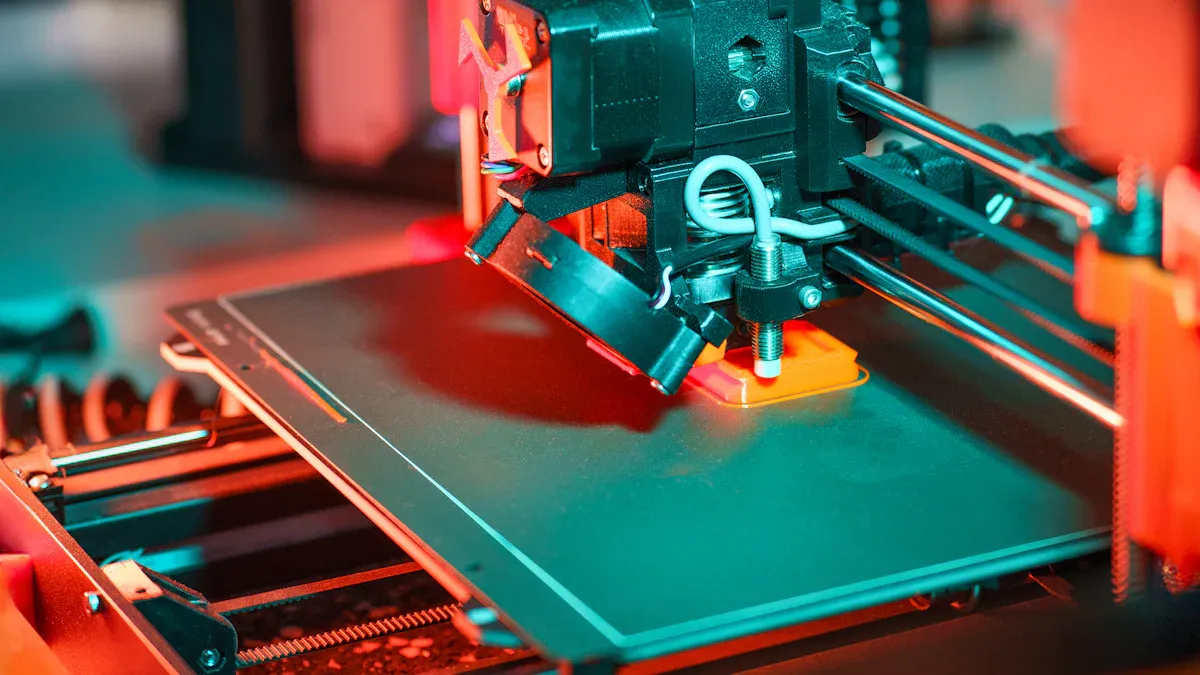
Layer adhesion means how well each layer sticks to the one below. A 3d printer uses many materials. Each material bonds in its own way. Good adhesion keeps the object strong and stops cracks. Bad adhesion can make layers peel or break. The table below lists materials and how they stick:
|
Material Type |
Examples |
Key Properties Affecting Layer Adhesion and Use Cases |
|---|---|---|
|
Plastics |
PLA, ABS, Nylon |
Nylon sticks well and is tough; ABS needs heat to stop warping |
|
Metals |
Titanium, Stainless Steel, Aluminum |
Very strong and tough; used for hard parts |
|
Ceramics |
Various ceramic materials |
Handles heat and is safe for the body |
|
Resins |
SLA/DLP resins |
Makes smooth parts and tiny details |
|
Composites |
Plastic + carbon/glass fibers |
Strong and light |
Layer adhesion changes with print temperature, layer height, and speed. For example, ABS needs a hot bed to stick, but Nylon sticks by itself. Good adhesion helps the 3d printer make objects that last.
Gravity effects
Gravity is important in 3d printing. When the printer adds a new layer, the material is still soft. Gravity pulls the filament down. This can make it sag if there is no support. The printer must make sure each layer has a solid base. If the printer prints in the air, gravity makes the filament fall and lose shape.
- Gravity shapes the filament as it comes out.
- It helps press layers together and makes them stick.
- Gravity can also cause warping when layers cool.
- Overhangs and bridges need support because gravity pulls them down.
- A 3d printer uses fans to harden the filament fast. But gravity always affects how layers settle. The printer must balance speed, heat, and layer height for good prints.
Floating holes issue
Floating holes are a big problem in 3d printing. These holes are in the middle of an object with nothing under them. The 3d printer builds objects one layer at a time. Each new layer needs something below it. Floating holes break this rule and leave empty spaces.
- Floating holes are holes made in the air with no support.
- Each layer needs support from below, so floating holes are hard.
- Printers must bridge gaps in the air, which most cannot do without help.
- Some designers use shapes to build the hole slowly, layer by layer, without support.
- Circular holes with no support cannot be printed directly; supports take more time and cost.
- Floating holes need smart design or special ways to print. The printer may use supports or change the hole's shape to print it. Overhangs and bridges longer than 10mm or steeper than 45 degrees also need support, just like floating holes.
- Tip: Designers can test their 3d printer by printing overhangs at different angles to find the best settings for their machine.
Layer separation and print failures
Sagging layers
Sagging layers show up when a 3D printer makes bridges or overhangs without enough support. The filament is soft right after it comes out. Gravity pulls it down, so it sags. This happens when the gap between supports is too big. It also happens if the printer cannot bridge the gap. Sagging layers mess up the print's shape and make the surface bumpy.
|
Aspect |
Explanation |
|---|---|
|
Frequency of Sagging |
Sagging layers happen a lot during bridging or overhangs. This is common when gaps are 1-3 cm or bigger than what the printer can handle. |
|
Main Contributing Factors |
- Too much heat makes filament sag |
|
Mitigation Strategies |
- Add supports under bridges |
|
Additional Notes |
Each printer and material can handle different bridge lengths. Testing with different gaps helps find the best size. |
Note: You can fix sagging layers by changing printer settings and adding supports. Try different gap sizes to see what works best for your printer.
Poor adhesion
Poor adhesion means layers do not stick well. When this happens, you see peeling, cracks, or rough spots. These problems come from wrong temperature, humidity, or machine settings. The air and room conditions matter a lot for layer sticking and print success.
- Layers can peel apart, like book pages that will not stay closed.
- Cracks or splits often show up in the top layers.
- The surface can look rough or uneven if layers do not join well.
|
Environmental Factor |
Ideal Range |
Risk Zone |
Impact on Adhesion and Layer Failures |
|---|---|---|---|
|
Air Temperature |
65-85°F |
<50°F or >95°F |
Cold air (<50°F) makes layers stick less, causes more peeling, cracks, and bubbles |
|
Surface Temperature |
70-90°F |
<60°F |
Cold surfaces can get wet, trap water, and make layers stick worse |
|
Relative Humidity |
<75% |
>85% |
Wet air slows drying, makes layers weaker, and causes more failures |
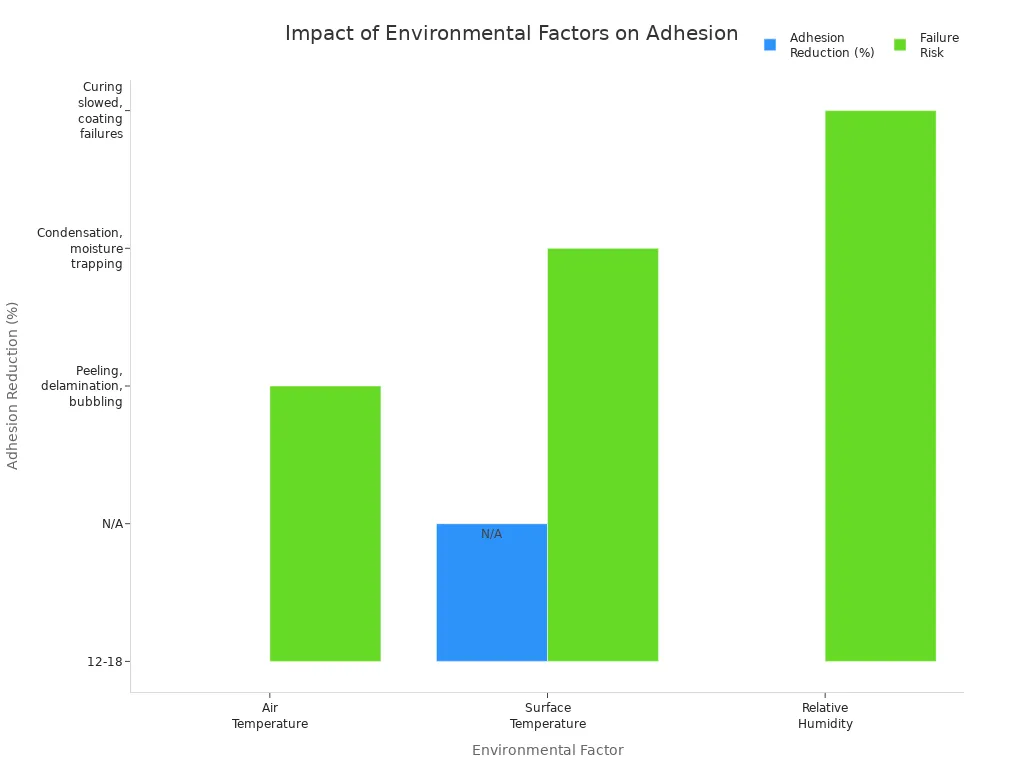
Big changes in temperature make the print expand and shrink. This weakens the bond and causes cracks or holes. Wet air and water can make glue weak and cause mold. Makers say to keep the room at 65-85°F and humidity at 35%-55%. Fast temperature changes make prints fail more often.
Print collapse
Print collapse is a very bad problem. If layers do not stick, the whole print can fall apart. This starts when layers are weak or split. If there is not enough support or the settings are wrong, layers lose their grip. The print can fall apart in the middle, leaving missing pieces or a pile of broken parts.
- Print Collapse Mid-Print: Not enough support or bad support settings can make the model fall or lose parts while printing.
- Layer Delamination: Layers split when there is not enough light, too much curing at the bottom, or the printer moves too fast.
- Weak Layer Bonding: Not enough light or wrong settings make layers weak and cause the print to fail.
- Layer separation happens when layers do not bond well. Not enough mixing, hot and cold spots, and leftover stress can make the layers weak. These problems cause layers to split and the print to fall apart. Makers use special materials and control heat to stop this. Good curing and strong locks help keep the print in shape and stop collapse.
Tip: Makers can keep prints strong by using glue made for changing temperatures and leaving space for expansion. Watching the weather and keeping things dry during printing also helps stop layers from splitting or falling apart.
Solutions for floating layers
Support structures
Support structures stop floating layer problems in 3D printing. They give each new layer a solid base. This keeps filament from falling or sagging. Makers use grid or zigzag shapes for support. These patterns are strong and easy to remove. Setting support density at 40% saves material and keeps prints strong. Breakaway supports are quick to remove and protect fragile parts. Changing the Z-gap helps remove supports without hurting the model. Turning the model can lower overhangs and floating layers. This means less extra support is needed. Printing big objects with fewer supports saves material and work. Complex parts with lots of supports take longer to print. They also need more cleaning after printing.
|
Support Type |
Strength |
Ease of Removal |
Best Use Case |
|---|---|---|---|
|
Grid |
High |
Moderate |
Overhangs, bridges |
|
Zigzag |
Medium |
Easy |
Floating layers |
|
Breakaway |
Medium |
Very Easy |
Delicate features |
|
Tree |
Low |
Easy |
Minimal contact points |
Tip: Turn the model to lower overhangs. Use breakaway supports for fragile spots.
Slicer settings
Slicer software helps fix floating layer problems by changing print settings. Slowing down at overhang corners makes prints look better. Lower acceleration keeps corners sharp and stops ringing. Wider lines on overhangs make the bottom smoother. Printing outside edges first on small islands helps cooling and keeps prints steady. Concentric infill patterns hold up bottom layers and spread heat. Slicing software finds overhangs and changes wall speeds. This helps bridges and stops sagging. Changing layer height keeps slopes stable and makes bridging easier. Bridged line settings control how filament stretches between supports. This makes unsupported parts look better. Mesh fixes in slicers stop errors that cause floating layers. They also remove holes above air and make prints work better.
Makers should slow down overhang printing and change infill patterns for better bridges.
Design tips
Smart design choices help lower support needs and floating layer problems. Turning parts to keep overhangs under 45 degrees means less support is needed. Using 45-degree chamfers instead of sharp corners helps bridges and makes prints stronger. Teardrop holes hold themselves up and do not need supports above air. Breaking big models into smaller parts makes printing easier and uses less support. The 30°/30° tilt lowers supports and makes surfaces better. Leaving 2.5 mm space around supports helps remove them. Thin break-away features (0.2 to 0.5 mm) make clean breaks. Adding escape holes in closed spaces helps get rid of supports. Tree supports use less material and are easy to remove. Dissolvable supports work well with dual-extrusion printers. AI slicing tools can pick the best support spots and lower problems.
|
Design Practice |
Benefit |
|---|---|
|
Chamfers at 45° |
Less support, better bridging |
|
Teardrop holes |
Avoid remove holes above air |
|
Split models |
Easier printing, fewer issues |
|
Tree supports |
Less material, easy removal |
Designers should try different ways to turn models and use supports. This helps find the best plan for their model and slicing software.
3d printing technology comparison
FDM vs. SLA
FDM and SLA are two common 3D printing types. FDM printers melt plastic filament to make objects layer by layer. SLA printers use liquid resin that hardens with light. Each type has good and bad points for printing shapes without support.
FDM printers can print overhangs up to about 45°-50° with no support. If the angle is steeper, the filament will droop or sag. Bridges longer than 12mm often do not work because gravity pulls the filament down. Supports are needed for tricky shapes, which uses more material and takes more time to finish. The surface can look rough where supports touch the print.
SLA printers use resin to make smooth and detailed objects. They handle floating parts better than FDM. SLA supports are thin and made from the same resin as the print. These supports are easy to take off and leave fewer marks. SLA prints are very precise and have smooth finishes, even for hard shapes. The resin hardens with light, so small details are possible, but supports are still needed for overhangs. SLA supports use less material and make cleaning up easier.
|
Technology |
Material Used |
Overhang Limit Without Support |
Support Removal |
Surface Finish |
Typical Bridge Limit |
|---|---|---|---|---|---|
|
FDM |
Filament |
45°-50° |
Moderate |
Rough |
12mm |
|
SLA |
Resin |
Steeper angles |
Easy |
Smooth |
21mm |
SLA printers make smoother surfaces and better details because resin hardens with light, not heat.

Handling unsupported geometry
- Both FDM and SLA printers need supports for overhangs and floating layers. The way these supports work is different for each printer.
- FDM supports are big and must be part of the design. They work best for overhangs above 45°. Taking them off takes time and can leave rough spots.
- SLA supports are thin and made of resin. Tree and fence shapes help lower contact and make removal easier. Small tips leave fewer marks on the print.
- SLA printers turn parts to line up features with the Z-axis. This lowers peeling forces. They avoid wide flat spans and use small bridges or inside columns.
- Slicer software finds spots that need support and adds them. People check by hand to make sure important places get enough support.
- SLA supports need careful removal and finishing, like sanding or polishing, to keep details sharp. FDM supports are stronger but often leave rougher spots.
- To manage unsupported spans in SLA, keep them under 1mm or tilt them at least 19° from flat. Wide bridges over 21mm can cause suction and warping, so how you place supports matters.
|
Support Type |
Printer Type |
Material |
Removal Difficulty |
Surface Impact |
|---|---|---|---|---|
|
Bulky |
FDM |
Filament |
Hard |
Rough |
|
Fine |
SLA |
Resin |
Easy |
Smooth |
SLA printers use resin supports that are thin and easy to remove. This helps keep the print's fine details safe.
3D printers need every layer to have support. Gravity pulls soft resin down, so floating layers cannot work. Makers get good prints by adding supports and changing the design. They also use slicer settings to help. New things like bioinks, ceramic resin, and hydrogel-based resin make prints stronger and safer for the body. Water-soluble resin supports can now dissolve in water. This makes it easier to clean prints and stops damage. In the future, multi-axis printers and adaptive slicing will help make complex prints. These new
ways use less resin and waste. Some researchers use neural networks and curved toolpaths. This helps them print strong shapes without supports. For more information, look at the table below.
|
Resin Type |
Support Removal |
Biocompatibility |
Print Strength |
|---|---|---|---|
|
Hydrogel-based |
Easy |
High |
Medium |
|
Ceramic resin |
Manual |
Medium |
High |
|
Water-soluble resin |
Dissolves |
Low |
Medium |
Makers who pick new resin types and smart designs get better prints.
FAQ
Why do 3D printers need support structures?
3D printers need support structures because gravity pulls soft material down. Without support, layers can sag or fall. Support structures give each new layer a solid base. This helps the print keep its shape.
Can a 3D printer make objects with holes or bridges?
Yes, a 3D printer can make holes or bridges. The printer needs to add supports under these parts. If the gap is small, some printers can bridge it without support. Large gaps need extra help.
What happens if a layer prints in mid-air?
If a layer prints in mid-air, the material falls or sags. The print loses its shape. This often causes the print to fail. Makers use supports to stop this problem.
How can someone reduce the need for supports?
Designers can tilt the model or use shapes like chamfers and teardrops. Keeping overhangs under 45 degrees helps. Splitting big models into smaller parts also reduces support needs.
Do all 3D printing technologies handle floating layers the same way?
No, different technologies work in different ways. FDM printers use thick supports. SLA printers use thin, easy-to-remove supports. Both types need supports for floating layers, but the support style and removal process differ.
For more data and details, see the tables and charts at the end of the article.