

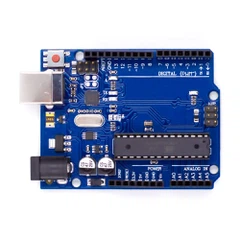
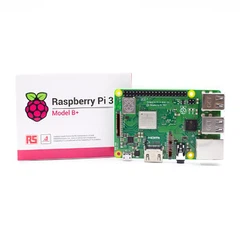


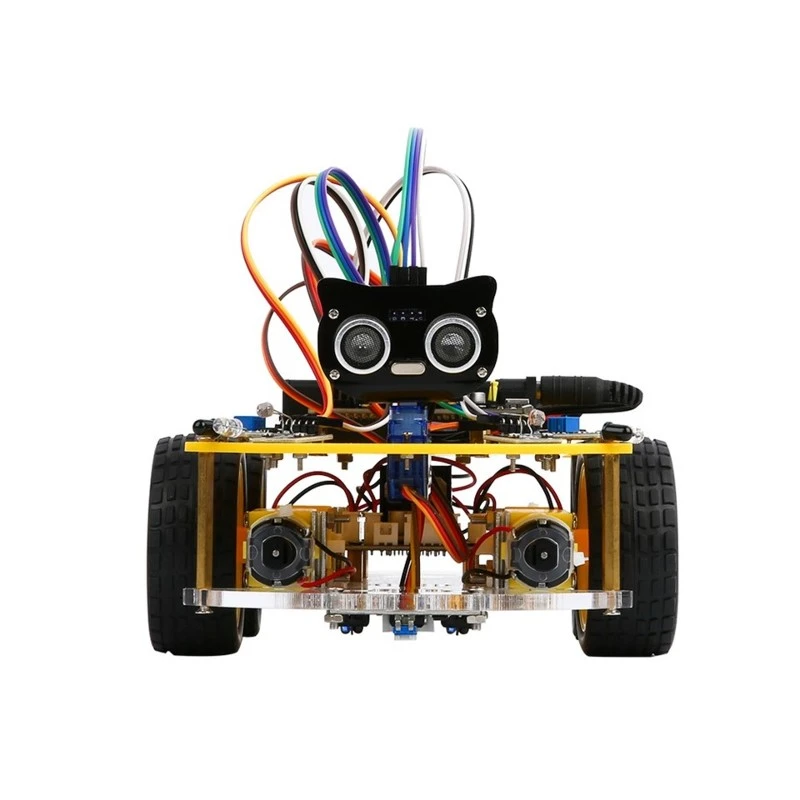
Which Raspberry Pi Robotics Kit Teaches Coding?
Several raspberry pi robotics kits genuinely teach coding through structured curricula rather than just offering programmable features. The GoPiGo3, XRP Platform, SunFounder PiCar-X, and Picobricks stand out for their educational frameworks, supporting progression from block-based coding through Python.
The difference between a kit you can program and one that teaches programming matters enormously. After analyzing dozens of platforms and their actual learning materials, most kits fall into a troubling pattern: they're programmable toys with thin documentation, not educational tools. Parents spend $150-300 expecting their child to learn coding, only to discover a few example scripts and no clear path forward.
Understanding the Coding Education Gap
Not all "programmable" robots teach programming. This distinction trips up most buyers.
A programmable kit provides an API or interface where you can write code to control it. An educational kit structures that experience into lessons, challenges, and progressions that build computational thinking skills systematically. The former gives you the tools; the latter shows you how to think.
Research from Worcester Polytechnic Institute's OpenSTEM platform shows students need 15-25 hours of structured guidance before they can independently create meaningful robotic programs. Yet most consumer robotics kits provide under three hours of tutorial content.
The coding language matters less than the learning path. Scratch teaches logical thinking through visual blocks. Python builds text-based syntax skills. Arduino C++ introduces hardware-level control. Each has value, but only if the kit provides scaffolded challenges that progressively build complexity. A robot supporting all three languages without structured lessons teaches none of them effectively.
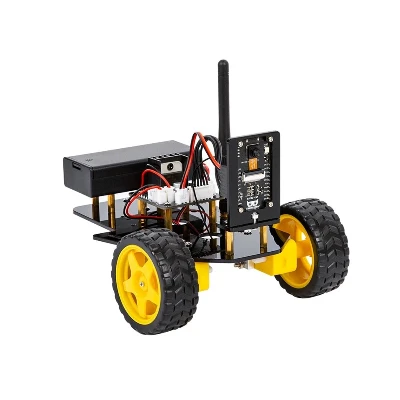
Best Raspberry Pi Robotics Kits With Complete Educational Frameworks
Three platforms deliver comprehensive coding education rather than scattered examples.
GoPiGo3: The Classroom Standard
Dexter Industries designed GoPiGo3 explicitly for educational use, and it shows. The platform supports Scratch 3, Python, and Blockly, but the real strength lies in the Raspbian for Robots operating system that creates a complete learning environment.
The curriculum covers 40+ structured activities through their online portal. Students start with visual block coding to understand program flow, then transition to Python with clear bridge lessons showing how blocks translate to text code. Each lesson builds on previous concepts, introducing variables, conditionals, loops, and functions in a logical sequence.
Teachers report students complete the full progression in 25-35 classroom hours. The curriculum design originated from Dexter's work with over 400 schools, refined through actual classroom use rather than theoretical design. Cost runs around $250 for the complete base kit.
XRP Platform: Built by FIRST Robotics Veterans
SparkFun's Experiential Robotics Platform emerged from a consortium including DEKA Research and Worcester Polytechnic Institute specifically to address robotics education gaps. The platform centers on a Raspberry Pi Pico W rather than a full Pi board, making it more focused and less overwhelming for beginners.
WPI developed structured online modules tested with hundreds of students. The curriculum starts with Blockly drag-and-drop coding, progresses through Python, and culminates in WPILib - the same framework used by FIRST Robotics Competition teams. This creates a direct path from first program to competitive robotics.
The learning sequence takes students from basic motor control through sensor integration, line following, obstacle avoidance, and autonomous decision-making over approximately 30 hours. Unlike kits where you're left wondering "what do I do next," each module unlocks new challenges that require applying previous concepts in more complex ways.
Students can access the platform through a web browser without software installation headaches. The kit costs roughly $200, with significant educator discounts available. The open-source nature means the curriculum continues expanding through community contributions.
SunFounder PiCar-X: Visual to Text Bridge
SunFounder's PiCar-X distinguishes itself through exceptionally clear progression from visual to text-based coding. The kit works with both Scratch and Python, but uniquely shows the Python code equivalent for every Scratch program in real-time.
This parallel view helps students understand how visual blocks translate into text syntax without forcing an abrupt transition. When a student drags a "move forward" block, they see car.forward(50) appear in the Python window. This cognitive bridge reduces the intimidation many learners feel when first encountering text-based code.
The included documentation covers 15 structured projects, each introducing new programming concepts while building on previous lessons. SunFounder also provides extensive video tutorials showing both assembly and programming steps, crucial for visual learners or families without technical backgrounds.
The platform supports face detection, color recognition, and other AI applications through clear example code, letting intermediate students explore computer vision after mastering basic motion control. Kit price sits around $200-250 depending on configuration.
Raspberry Pi Robotics Kits With Strong Tutorial Libraries
Several platforms provide extensive coding resources without formal curriculum structures.
The Freenove 4WD Smart Car includes a comprehensive tutorial PDF covering Python programming basics through advanced concepts. While not structured as formal lessons, the documentation systematically covers variables, functions, classes, and object-oriented programming applied to robotics.
What Freenove does particularly well: showing complete, working code for complex behaviors rather than just snippets. Students can run programs that perform obstacle avoidance or line following, then study the code to understand implementation. This "working example" approach suits self-directed learners comfortable with independent exploration.
The Picobricks platform uses a different approach entirely. The kit provides a block-based IDE specifically designed for beginners, letting students create programs through drag-and-drop while simultaneously displaying the equivalent Python code. The system includes 25 beginner projects built into the interface.
Picobricks excels at eliminating technical setup friction. Everything runs through their custom IDE without installing multiple software packages or dealing with library dependencies. For families where technical troubleshooting becomes a learning barrier, this simplified approach keeps focus on coding concepts rather than configuration problems.
The Block-Based vs. Text-Based Decision
Programming language choice should match the learner's stage, not the robot's capabilities.
Block-based environments like Scratch and Blockly teach program structure without syntax barriers. Students learn conditional logic, loops, variables, and functions - the fundamental concepts that transfer to any text language. Research from MIT shows students as young as 8 can grasp complex programming concepts through blocks that would frustrate them as text.
The transition to text-based coding should happen when students can independently create working block programs solving multi-step problems. This typically occurs after 10-15 hours of block-based experience. Forcing text coding too early creates frustration; delaying too long limits advancement.
Python dominates educational robotics for good reasons. Its readable syntax reduces cognitive load compared to C++ or Java, letting students focus on problem-solving logic rather than memorizing punctuation rules. Python's extensive libraries mean students can quickly move from basic motion to computer vision, web APIs, and machine learning without changing languages.
Scratch remains valuable even for students ready for text coding. Complex programs with 100+ blocks become unwieldy, naturally pushing students toward text when their projects demand it. This organic transition creates better learning than forced language progression.
What "Teaches Coding" Actually Means
Genuine coding education builds computational thinking, not just syntax memorization.
Computational thinking breaks into four core skills: decomposition (breaking problems into smaller parts), pattern recognition (identifying similarities), abstraction (removing unnecessary details), and algorithmic thinking (creating step-by-step solutions). A raspberry pi robotics kit that teaches coding develops these skills systematically.
Consider obstacle avoidance as an example. A poor teaching approach provides complete code students copy without understanding. A strong approach guides students through: identifying the problem (detecting obstacles), breaking it into parts (measure distance, make decision, take action), recognizing patterns (similar logic for multiple sensors), abstracting the solution (functions that work for any obstacle), and creating the algorithm (specific steps in proper order).
This learning requires challenges with progressive difficulty. Students should face problems slightly beyond their current ability that require applying known concepts in new ways. The robotics kit's role is providing these challenges in logical sequence, not just offering a platform where challenges are possible.
Documentation quality directly impacts learning effectiveness. Clear explanation of what code does (and why) matters more than code quantity. One well-explained 20-line program teaches more than ten unexplained 100-line examples.
Age and Experience Matching
Different kits suit different learner stages despite marketing claims of "ages 8-80."
The XRP Platform targets middle school (grades 6-8) as its sweet spot. The Blockly interface removes barriers for younger students, while the WPILib progression provides challenge for high schoolers. Elementary students under 10 often struggle with the motor encoder concepts and coordinate geometry the advanced lessons require.
GoPiGo3 works well across wider age ranges due to its extensive curriculum depth. Teachers report successful use from grade 4 through early college, accomplished by entering the curriculum at different points. Younger students might spend entire semesters on the Scratch activities, while high schoolers jump directly into Python sensor integration.
Adult learners often prefer Freenove kits precisely because they skip the structured lesson approach. Someone with programming experience in other languages wants working examples and good API documentation, not hand-holding through basic concepts. The comprehensive but unstructured tutorial style matches self-directed learning preferences.
The Picobricks platform particularly suits families with multiple children at different levels. The shared hardware with beginner-friendly block coding means younger siblings can start meaningful projects while older ones advance into Python or Arduino, making the kit investment serve multiple learning paths.

The Curriculum vs. Hardware Tradeoff
Better hardware doesn't automatically create better learning.
The Yahboom G1 Tank features impressive aluminum construction, powerful motors, and extensive expansion possibilities. Yet it provides minimal learning structure beyond basic API documentation. Students get a sophisticated platform with no clear progression for developing skills to use it effectively.
Compare this to CamJam EduKit 3, an inexpensive kit with basic components that includes exceptionally well-designed worksheets. Students with CamJam learn more practical programming because the limited hardware focuses attention on code logic rather than hardware complexity.
This pattern repeats across the market. Premium robot kits emphasize mechanical quality, sensor variety, and expansion possibilities - all important for advanced projects but irrelevant if students never develop the skills to create those projects.
The ideal first raspberry pi robotics kit prioritizes learning structure over hardware capability. Students can always add sensors or build more sophisticated robots after developing fundamental skills. Starting with impressive hardware but inadequate teaching creates expensive shelf decorations.
Common Learning Pitfalls
Three problems derail coding education with robotics kits frequently.
Example Code Without Explanation: Students run provided scripts that make the robot perform impressive behaviors but learn nothing about how the code works. They memorize that robot.forward(10) moves forward without understanding parameters, function calls, or program flow. The impressive demo masks learning failure.
Configuration Hell: Twenty minutes fighting software installation and library dependencies destroys learning momentum. Young learners especially lose focus during technical troubleshooting. Kits requiring extensive setup work better for families with technical experience; others need plug-and-play environments.
The Documentation Desert: After working through three example programs, students wonder "what's next?" Without structured challenges at appropriate difficulty levels, learning stalls. Students need problems requiring them to combine and extend known concepts, not just more disconnected examples.
Successful learning requires students to struggle productively - facing challenges requiring thought but within reach of their current skills. Too easy creates boredom; too hard creates frustration. The education-focused kits provide this progression; programmable-but-not-educational kits leave students searching forums for project ideas.
Making the Selection
Choose based on learning goals, not feature lists.
If the goal is teaching programming fundamentals to beginners, prioritize curriculum structure over hardware sophistication. GoPiGo3 and XRP Platform deliver systematic skill building. The robots look simpler than premium alternatives, but students learn far more.
For families wanting to explore robotics together without formal curriculum, SunFounder PiCar-X or Freenove kits provide flexibility with solid documentation. Parents comfortable providing learning structure can guide students through projects effectively.
Students with existing programming experience benefit from capable platforms with good API documentation rather than structured curricula. The Yahboom tank or Adeept RaspTank provide sophisticated hardware for implementing complex projects without teaching basics already mastered.
Schools and formal education settings should select platforms with complete curricula and classroom management support. GoPiGo3 dominates this space, while XRP's FIRST Robotics connection makes it valuable for competition-bound teams.
The right raspberry pi robotics kit teaches coding when it provides structure, progression, and clear next steps at every stage - not just the possibility of being programmed.
Frequently Asked Questions
Can kids learn programming without structured lessons?
Self-directed learning works for some students but most need structured progression. Research shows 70-80% of students abandon robotics kits without clear next-step guidance. Students with prior programming experience or exceptional problem-solving drive can learn from examples alone, but they're the minority.
Is Scratch too simple if the goal is real programming?
Scratch teaches genuine computational thinking that transfers directly to text languages. MIT studies show students who master Scratch concepts transition to Python more successfully than those who start with text coding. The visual format removes syntax as a barrier while building logical thinking. Students typically outgrow Scratch naturally after 15-25 hours.
How long until students can write original programs?
With structured curricula, most students write basic independent programs after 8-12 hours. Creating complex autonomous behaviors typically requires 25-35 hours of cumulative experience. Progress depends heavily on age, prior exposure to logical thinking, and practice frequency. Students working 2-3 times weekly learn faster than once-weekly sessions.
Do robotics kits work for teaching professional programming?
Robotics provides motivation and immediate feedback that makes programming concepts concrete. However, students should eventually progress beyond robotics to general-purpose programming. The skills transfer completely, but web development, data analysis, and other domains require different project types. View robotics as the engaging introduction, not the complete programming education.
Key Selection Criteria
For Beginners Ages 10-14: XRP Platform or GoPiGo3 with structured curricula
For Visual Learners: SunFounder PiCar-X with parallel Scratch/Python display
For Self-Directed Students: Freenove kits with comprehensive tutorials
For Simplified Setup: Picobricks with integrated block-based IDE
For Classroom Use: GoPiGo3 with teacher resources and curriculum
Choosing the best raspberry pi robotics kit for teaching coding depends on matching the platform's educational structure to your learner's needs and experience level.