

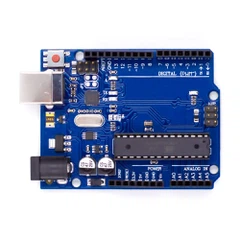


The easiest way for beginners to get started with Arduino is by creating circuits using a solderless breadboard.
In this tutorial, you will be creating circuits using the following electronic components:
LED
RGB LED
Temp Sensor
Pushbutton
Potentiometer
Photoresistor
Servo
Motor
Buzzer
LCD screen
Getting Started
Before you can start working,you need to make sure you have the IDE software installed on your computer.This program allows you to write, view and upload the code to your Uno board.
Once the IDE is installed, you will need to connect it to your computer.To do this, plug one end of the USB cable to the Uno and then the other end of the USB to your computer's USB port.
If you need some background on the board or shields that are needed, please click–Uno board & shields.
